
Main Points
- Google Assistant is compatible with over 50,000 smart home devices from more than 10,000 brands, offering extensive home automation through simple voice commands.
- To set up a Google Assistant smart home, you need minimal equipment, just a smartphone and compatible smart devices, and the connection process through the Google Home app is straightforward.
- Voice commands for lighting, temperature, entertainment, and security offer hands-free control that can save time and improve accessibility.
- By creating automated routines, you can turn multiple manual tasks into a single command, significantly simplifying daily activities.
- Smart home integration issues are usually easy to fix with basic troubleshooting steps, ensuring a reliable connected experience.
With Google Assistant’s seamless smart device integrations, managing your home has never been more straightforward. By connecting compatible devices to Google’s voice assistant, you can turn everyday tasks into voice-controlled conveniences that save time and simplify daily routines.
How Google Assistant Turns Your Home into a Smart Home
Google Assistant is the brain behind a modern smart home, linking different devices into a single ecosystem that reacts to your voice. Supporting over 50,000 smart home devices, it removes the need to manage multiple apps and remote controls. Google Assistant can manage everything from changing your thermostat to dimming lights and locking doors—all through natural language commands that feel like talking to a helpful family member.
The beauty of this system is its simplicity. Instead of having to navigate through complicated interfaces or remember specific app functions, you can just say what you want. This intuitive approach makes technology accessible to everyone in the house, regardless of their tech proficiency.
Over 50,000 Smart Home Devices Can Be Voice Controlled
Google Assistant’s broad compatibility with smart home products means you can control almost every aspect of your living environment. Smart lighting systems from brands like Philips Hue, LIFX, and Wyze respond instantly to commands to turn on, off, dim, or change colors. Thermostats from Nest, Ecobee, and Honeywell can adjust temperature settings through simple voice requests. Even appliances like robot vacuums, coffee makers, and washing machines from companies including Roomba, Hamilton Beach, and LG can be activated with a quick phrase.
Google Assistant’s expansive compatibility allows you to start with just a few devices and gradually grow your smart home ecosystem, confident that it will likely support any future devices you buy. The system is flexible enough to accommodate both budget-friendly and premium devices, making smart home technology accessible no matter what your budget.
For those with particular accessibility requirements, voice control is not just a matter of convenience, but of independence. The ability to control lights, appliances, and entertainment systems with voice commands can be life-changing for those with mobility limitations or visual impairments. Learn more about how technology like the Apple Watch is enhancing wellness and independence for individuals with accessibility needs.
Works with Over 10,000 Well-Known Brands
Google has teamed up with thousands of manufacturers, meaning you aren’t restricted to just one brand’s ecosystem. This cross-compatibility means you can choose the best device for each job, rather than having to settle for something less than perfect to keep everything in the same ecosystem. Whether you’re a fan of Philips Hue lights, Ring doorbells, Nest thermostats, or Samsung appliances, Google Assistant offers a single control interface that transcends proprietary boundaries.
Google Home App as the Hub for Your Smart Devices
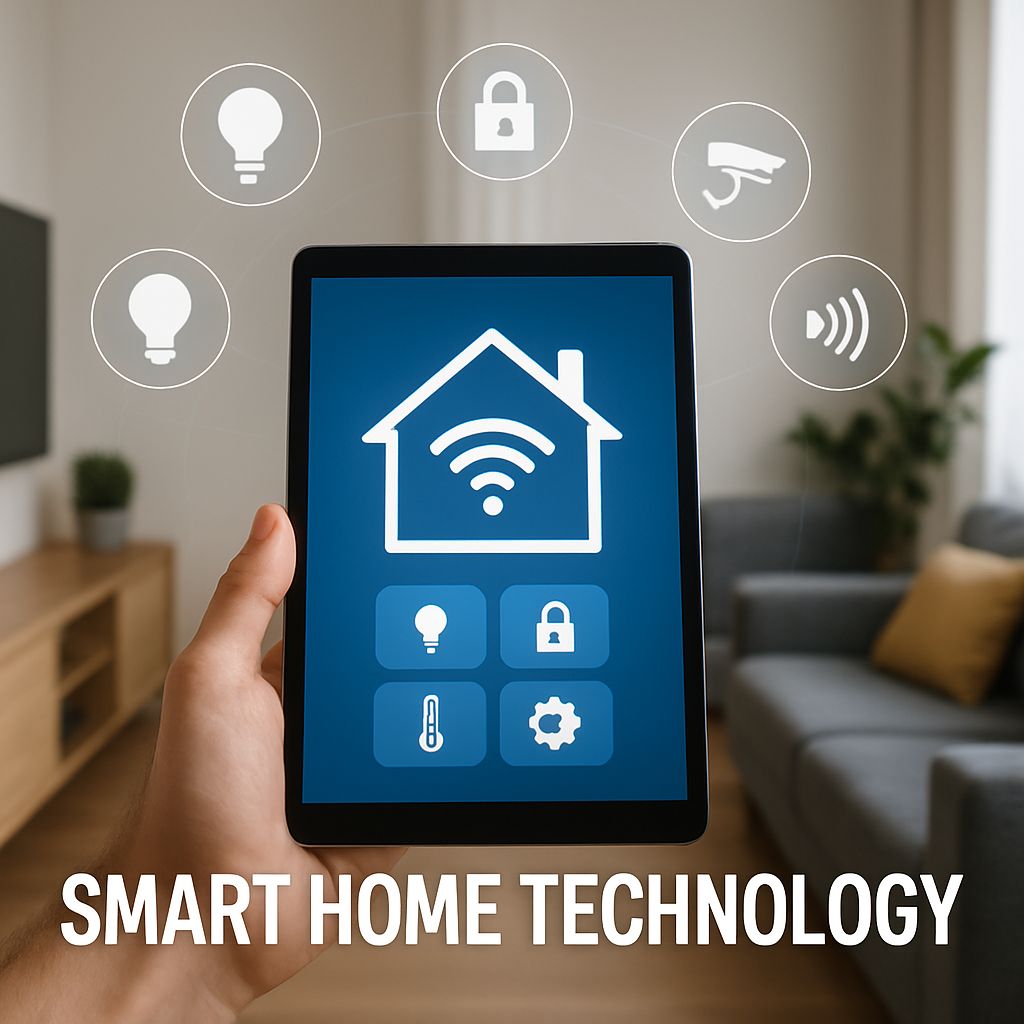
When you can’t or don’t want to use voice commands, the Google Home app is your go-to for managing all your smart devices. This app lets you visually control and monitor your devices, organize them by room, create custom routines, and adjust their settings. You won’t need to switch between different manufacturer apps because the Google Home app is your all-in-one control center.
The app’s user-friendly design simplifies the process of adding new devices, solving connection issues, and personalizing the way your smart home operates. If you’re sharing your home with others, the app allows shared access while keeping each user’s preferences separate through voice recognition.
Setting Up Your First Google Assistant Smart Home
Setting up your Google Assistant smart home is a breeze. You don’t need much equipment or technical know-how. The setup process is user-friendly and perfect for all skill levels. Plus, there are step-by-step instructions to guide you through the process.
Necessary Equipment to Begin
Google’s smart home strategy is appealing because of its simplicity and accessibility. At the very least, you’ll need a smartphone with the Google Home app installed and one or more compatible smart devices. Google’s Nest speakers and displays, while not required, enhance the experience by providing always-available voice control throughout your home. But you can get started with just the Google Assistant on your phone.
If you’re new to the world of smart homes, smart plugs and light bulbs are a great place to start. These cost-effective devices offer instant benefits by allowing you to control your existing lamps and appliances with your voice. Once you’re more comfortable, you can branch out to more complex devices like thermostats, cameras, and entertainment systems.
Connecting Devices: A Step-By-Step Guide
The process for connecting your smart devices to Google Assistant is the same no matter what brand of device you’re using. Start by installing the device and setting it up using the manufacturer’s app and following their instructions. Once you’ve got the device working, open up the Google Home app and tap on the “+” icon to add a new device. The app will then scan for devices that are available on your network and guide you through the process of linking them to your Google account. If the device requires account linking, you’ll need to log in with your account details for that service. For insights into the future of smart home technology, explore AI-powered health coaches and their potential impact.
Once you’ve linked your devices, you can assign each one to a particular room in your house, which makes your voice commands more logical. For example, if you say “Hey Google, turn off the bedroom lights,” it will only turn off the lights in the bedroom, whereas if you say “turn off all lights,” it will turn off all the lights in your house. This becomes more and more useful the more devices you have. For more information on how to link your devices, you can visit the support page.
Arranging Rooms and Device Groups
Google Home’s room-based arrangement creates a virtual representation of your physical environment. In addition to rooms, you can set up custom device groups such as “downstairs lights” or “entertainment system” that span several rooms but work together logically. These groupings facilitate more natural interaction with your home, aligning with how you conceptualize your space instead of requiring you to recall individual device names.
If you live in a multi-story house or own a large property, you can create separate homes or buildings within the app. This feature allows you to keep your vacation home, office, or rental property organized separately while still being able to control everything from one interface. This structured approach makes it possible to manage dozens or even hundreds of devices.
5 Voice Commands That Can Control Your Home
Google Assistant’s capabilities shine through voice commands that can control different parts of your home at the same time. By learning these popular commands, you can simplify your daily tasks.
1. Lighting Control: “Hey Google, Turn on the Kitchen Lights”
One of the most popular uses of smart home technology is controlling lighting. As soon as you set up your smart home devices, you can immediately start using voice commands to control your lights. Google Assistant can handle more than just turning your lights on and off. You can also ask it to dim your lights to a certain percentage or change the color of your lights. You can even set up scenes like “movie time” or “dinner party” that adjust multiple lights to predetermined settings with a single command. For more insights on how technology is transforming different fields, check out the impact of technology on Formula 1.
If your home has lights that can change color, you can say something like “make the living room cozy” and the lights will automatically change to a warm color and lower brightness. You usually don’t need to remember the exact command—just saying what you want in a natural way usually works. For more information on how to control your smart home devices, check out this guide on Google Assistant commands.
2. Temperature Control: “Hey Google, Turn the Heat Up to 70”
Thermostats can take direct commands to change your home’s temperature without you having to go to the thermostat. The system can understand requests like “make it warmer” or specific temperature settings. If your home has different temperature zones, you can specify where like “set the upstairs to 68 degrees” or control the whole house with one command.
This integration isn’t just about making simple changes. For example, you can ask “Hey Google, what’s the temperature in here?” and it will give you the current reading from your thermostat. This feedback loop helps you make better decisions about your comfort settings without having to check multiple devices.
3. Entertainment System Commands: “Hey Google, Play Netflix on TV”
Google Assistant revolutionizes how you interact with your media through entertainment control. With commands like “play Stranger Things on the living room TV”, Google uses its knowledge of available streaming services and devices to route content appropriately. The system manages volume control, content selection, playback commands, and even searching for specific genres or actors.
If you love music, you can say “play jazz in the kitchen” or “play my workout playlist everywhere” and music will play throughout your house. You can also ask “what’s on HBO tonight?” and it will show you what’s playing on connected screens.
4. Home Security Management: “Hey Google, Show me the Front Door”
Google Assistant integrates smoothly with security devices like cameras and smart locks, offering a sense of security through voice control. Using commands like “show me the backyard” to view camera feeds on smart displays allows you to monitor your property without disturbing your activities. For homes equipped with smart locks, commands like “lock the front door” give reassurance when you’re already in bed and questioning if you’ve locked up the house.
Security integration also includes monitoring systems. You can use commands like “arm the security system, we’re leaving” to activate multiple devices at once. If you have unexpected visitors, you can quickly ask “who’s at the front door?” to display your doorbell camera feed on nearby screens.
5. Multi-Device Routines: “Hey Google, Good Morning”
One of the most powerful features of Google Assistant is its ability to execute routines, which are essentially multiple actions across different devices triggered by a single command. For example, a “Good Morning” routine could turn on your lights, tell you the weather and your calendar appointments, start your coffee maker, and play the morning news all from one simple phrase. This saves you from having to manually complete each of these tasks, creating a seamless, hands-free experience. Learn more about the future of AI-powered health coaches and how they might integrate with your daily routines.
You can pretty much customize routines however you want, making sequences for when you wake up, leave the house, come back, have movie nights, dinner parties, or go to bed. Each routine can have delays between actions, conditional steps, and even Google Assistant responses to keep you in the loop.
Building Smart Home Automations to Save Time
While voice commands offer direct control, automations are where the real magic of a smart home comes in, taking care of repetitive tasks for you. These “set it and forget it” workflows run in the background, changing your surroundings based on time, whether you’re home or not, or environmental factors.
Google Home’s automation features have grown by leaps and bounds, now providing complex trigger choices and conditional logic that used to necessitate third-party solutions. The best part is that you don’t need to know how to code to create these automations—simply choose triggers and the actions that follow through a visual interface.
Automated Morning and Evening Routines
Automations that work based on time can change your home environment at certain times without needing any voice commands. Morning routines can slowly make lights brighter, change the thermostat, and start your coffee maker when you wake up. Evening routines can make your home secure, make lights dimmer, and change temperatures to make sleeping conditions better. These patterns that stay the same not only save time but can make sleep quality better by keeping environmental cues for your body’s circadian rhythm the same.
Lower Your Bills with Energy-Saving Automations
One of the biggest advantages of smart home systems is the ability to reduce energy waste through automations that are aware of your presence. Lights can be set to automatically turn off when a room is unoccupied, thermostats can adjust themselves when no one is home, and smart plugs can cut off power to devices that aren’t in use. These small changes can add up to big savings. Many users have reported reducing their energy costs by 10-15% after setting up basic automation rules that get rid of wasteful habits without sacrificing comfort.
Security Automations When You’re Not Home
Home security has never been better with Google Assistant’s location-based automations. When you leave your house, devices can automatically set security systems, turn on cameras, and turn on motion alerts. More advanced setups can mimic occupancy by randomly turning lights on and off throughout the day, playing music or TV sounds at typical times, and even opening and closing motorized blinds to make it look like someone is home. These automated security measures operate continuously in the background without you having to remember activation sequences before leaving.
Personalized Actions Based on Time, Place, and Tasks
The most effective automations combine several trigger types to create responses that are aware of the context. Your home can know when you’re approaching through geofencing capabilities, turning on lights and adjusting the thermostat before you get there. Environmental sensors can trigger actions when they detect sunlight, temperature changes, or movement. Some automations can even react to specific tasks, like turning on task lighting when you sit at your desk or showing recipes on your kitchen display when you start cooking. These smart responses create a home that feels responsive to your needs instead of just following strict schedules. For those interested in maximizing health benefits, consider checking out this Fitbit Charge 5 guide for more tips.
Top Google Assistant Compatible Smart Home Devices
Google Assistant has a wide range of compatible devices that cater to every budget and functionality. While the options can be daunting, it’s best to stick to well-known brands with solid Google integration for reliability and regular software updates. The trick is to choose devices that suit your lifestyle instead of just hoarding technology.
Smart Lighting Choices for Every Wallet
Smart lighting is the perfect starting point for most smart homes, offering immediate convenience with easy installation. Budget-friendly options like Wyze and Kasa bulbs offer basic on/off and dimming functionality at less than $15 per bulb. Mid-tier alternatives from Lifx and TP-Link offer color-changing capabilities and stronger connection protocols. Top-tier options from Philips Hue offer the most comprehensive ecosystem with dedicated switches, motion sensors, and outdoor options, but they require a hub for the best performance. For renters or those who don’t want to replace bulbs, smart plugs and switches from companies like Wemo and Lutron offer Google-compatible lighting control without having to change existing fixtures.
Thermostats That Adapt to Your Needs
Smart thermostats offer a blend of convenience and energy efficiency by smartly controlling your home’s temperature. The Google Nest Learning Thermostat is a top-tier choice due to its ability to self-program by learning your routine over time. More budget-friendly options from Ecobee and Honeywell also offer great Google Assistant integration and are easy to set up. If your home has multiple zones or a complicated HVAC system, consider thermostats that support remote temperature sensors. This feature allows you to customize comfort in individual rooms instead of just basing it on the temperature in the hallway.
Security Cameras and Video Doorbells
Google Assistant integrated security devices have revolutionized the way you safeguard and keep an eye on your home. Indoor cameras from Nest, Wyze, and Arlo offer motion detection, two-way audio, and high-definition video that can be accessed through the Google Home app and smart displays. Outdoor security cameras take this security a step further to the boundaries of your property with designs that can withstand weather and night vision capabilities. Video doorbells from Ring, Nest, and Arlo add an interactive feature, letting you communicate with visitors from anywhere through your phone or Google Nest displays. The most sophisticated systems have AI features that can differentiate between people, packages, vehicles, and animals, reducing false alerts while highlighting significant activity.
Voice-Activated Kitchen Appliances
With Google Assistant support, kitchen appliances can be controlled hands-free, making cooking and food preparation easier. You can tell your smart coffee maker to brew your morning coffee, and you can use your voice to adjust the settings on your microwave and oven, even if your hands are dirty. Connected refrigerators can show you what’s inside on your phone, create shopping lists for you, and some even have cameras so you can check what’s inside while you’re at the grocery store. If you love to cook, smart kitchen scales, thermometers, and cooking assistants can be integrated with recipe services to guide you through meal preparation with step-by-step instructions displayed on nearby screens.
Hands-Free Control for Entertainment Systems
Google Assistant-compatible entertainment devices offer a smooth media experience throughout your home. Smart TVs from brands such as Sony, LG, and Samsung respond directly to voice commands for power, volume, and content selection. Streaming devices like Chromecast, Roku, and Nvidia Shield bring these capabilities to older televisions. Multi-room audio systems from Sonos, JBL, and Google’s own Nest Audio create synchronized music experiences across multiple rooms, all controlled by simple voice commands. For comprehensive entertainment control, consider universal remote replacements like the Harmony Hub that add voice control capabilities to traditional entertainment components like AV receivers, Blu-ray players, and gaming consoles.
Fixing Common Problems with Google Assistant in Your Smart Home
Even the best smart home systems sometimes run into problems. Knowing what these problems are and how to solve them can help keep everything running smoothly. Most problems are due to issues with the network connection, the device not being compatible, or errors in the configuration, rather than the hardware itself failing. This makes most problems relatively easy to fix. For example, understanding how to enhance your smart home experience with devices like the Apple Watch can also help in ensuring compatibility and smooth operation.
When Devices Don’t Respond to Voice Commands
If your smart home devices aren’t responding to voice commands, the problem usually falls into one of three categories: network connectivity, cloud service status, or voice recognition. Start by checking if the device is responsive through the Google Home app. If it works there but not by voice, the problem is with command recognition, not device connectivity. Make sure you’re using the correct device name or room name in your commands. If you continue to have problems with recognition, try retraining your voice model in the Google Assistant settings or check for anything blocking the microphone on your Google Nest devices. If multiple devices are unresponsive, check your home’s internet connection and make sure Google’s services are up and running by checking the Google status dashboard.
Resolving Connection Problems Between Devices
Network congestion, router limitations, or signal interference often cause connection issues. For devices that disconnect often, make sure they’re within a strong range of your Wi-Fi network or consider adding mesh network extenders to improve coverage. Some smart devices work better on 2.4GHz networks than 5GHz because they penetrate walls better, so check your device specifications for network recommendations. Regularly restarting both your router and the devices that are causing problems can resolve many temporary connection issues by clearing cached data and reestablishing network parameters. For persistent problems with specific devices, check if firmware updates are available either through the manufacturer’s app or the Google Home app device settings.
How to Fix Google Home App Problems
If the Google Home app isn’t working right or is showing errors, you can usually fix it with some simple troubleshooting. First, try force closing the app and then reopening it. This can fix temporary problems caused by memory issues. If you’re still having trouble, look for updates to the app in your device’s app store. Many problems can be fixed by updating the app. If you’re still having problems, try clearing the app’s cache (if you’re using an Android device) or uninstalling and reinstalling the app (if you’re using an iOS device). This can fix problems caused by corrupted data, and it won’t delete your device settings. If none of these steps work, check the Google Assistant settings to make sure your account has the right permissions to control your devices. This might show you why the app isn’t working right.
Google Assistant Smart Home Device Integrations & Uses for Power Users
After you’ve learned the ropes of controlling your smart home with Google Assistant, there are more advanced tricks that can make your smart home even smarter. While these advanced techniques require a bit more setup, they can make your smart home more personalized to you, instead of just following the same patterns everyone else does.
Utilizing IFTTT for Personalized Automations
IFTTT (If This Then That) enhances the functionality of Google Assistant by connecting it to hundreds of other services and creating conditional automations that aren’t possible with only the Google Home app. This free web service lets you create “applets” that link Google Assistant to weather services, social media platforms, productivity tools, and numerous other digital services. For more details on how to get started, check out this Google Assistant support page.
For instance, you can set up automations that turn on your smart lights when it starts raining, record your smart thermostat changes to a spreadsheet, or send text alerts when certain devices are turned on. The platform doesn’t require any programming knowledge – you just choose trigger events from one service and resulting actions from another through a simple web interface. If you’re interested in exploring more about automation and AI, check out this OpenAI Playground guide for beginners.
Developing Personalized Voice Commands for Complex Tasks
- Utilize Google Assistant routines to develop personalized phrases that initiate multiple tasks
- Include delays between tasks for accurately timed sequences
- Integrate conditional logic based on time of day or device status
- Insert personalized responses from Google to confirm tasks or provide information
- Develop shortcuts for longer commands with simpler phrases
Personalized voice commands transform complex sequences into simple phrases that feel natural in everyday conversation. Rather than remembering exact device names and specific command syntax, you can develop intuitive phrases like “movie time” or “good night” that initiate carefully choreographed sequences across your home. For those interested in the future of technology in daily life, explore how AI-powered health coaches are shaping our wellness routines.
The best custom commands will provide confirmation feedback, so you know what’s going on as the sequence is carried out. For instance, your “I’m home” routine might reply with “Welcome home! I’ve switched on the lights, adjusted the temperature to 72 degrees, and your favorite playlist is now playing in the kitchen.” For those looking to enhance their wellness journey, consider integrating your smart home with a heart rate monitor to track your fitness levels as you enjoy your personalized routines.
If you’re a tech-savvy user, you can add media content to your routines. For example, you can have news summaries or weather forecasts play automatically at certain times or as part of your morning routine. This hands-free information delivery turns devices that normally just wait for your commands into proactive assistants that keep you in the loop without you having to ask.
If you want to take personalization to the next level, you can establish a series of interactions where Google reacts to your original instruction with a query, then carries out various tasks depending on your response. This interactive method enables dynamic choices within set routines. For a deeper understanding of how technology is transforming various fields, explore the impact of technology on Formula 1.
How Google Assistant Manages Several Users in One Household
Google Assistant is a great tool for homes with more than one resident. It can recognize different voices, which allows it to provide personalized responses based on each user’s preferences and accounts. By setting up Voice Match, Google can tell who is speaking and provide information specific to that user, such as calendar events, commute details, music preferences, and personal reminders. This allows each user to maintain their privacy while still having shared control over common home functions. It’s like having a personal assistant for each member of the household that also helps manage the entire home.
Google Assistant is Shaping the Future of Smart Homes
Google is constantly enhancing the smart home features of Assistant with regular updates and increasing device compatibility. The latest improvements include advanced natural language processing that can understand complex or unclear commands, improved options for grouping devices, and better automation capabilities. The integration of Google’s Nest products is becoming deeper, creating smooth experiences between security, comfort, and entertainment systems. For those interested in the broader impact of technology, check out how innovations are shaping industries like Formula 1.
The most important thing to note is that Google has adopted the new Matter smart home standard, which is expected to solve many compatibility problems between different manufacturers and platforms. This open-source connectivity standard, which is also supported by Apple, Amazon, and Samsung, as well as Google, is designed to ensure that future smart home devices work reliably across ecosystems. For consumers, this means they can be more confident that devices will remain compatible over time and they don’t have to worry about being tied to a single manufacturer’s ecosystem.
Commonly Asked Questions
When you’re building and growing your Google Assistant smart home, you’re bound to have questions about what it can do, what devices it works with, and how to best use it. These are the questions that most often trip up both smart home newbies and veterans alike.
Can Google Assistant be used with Apple HomeKit devices?
Google Assistant and Apple HomeKit are distinct ecosystems, but many device manufacturers provide compatibility with both platforms. Devices from brands such as Philips Hue, Ecobee, August, and Logitech work flawlessly with both systems. For direct integration between the platforms, third-party solutions like Homebridge can create bridges between Google and Apple devices, but these require more technical setup. As the Matter standard becomes more widely adopted, cross-compatibility between Google and Apple devices should improve significantly, lowering ecosystem barriers.
Is it possible to manage my Google Assistant smart home while I’m not at home?
Google Assistant gives you complete remote access to your smart home devices via the Google Home app and the Google Assistant app on your mobile devices. You can control devices, view camera feeds, adjust thermostats, and even communicate through speakers and displays from anywhere as long as your phone is connected to the internet. You don’t need any extra hardware or to pay any subscription fees beyond your usual internet service to access this remote functionality.
How many Google Nest speakers should I get for my smart home?
The number of Google Nest speakers you need will vary depending on the size and layout of your home, as well as how you use voice commands. For a basic setup, one speaker can control your entire smart home, but you’ll need to be within voice range to issue commands. For most homes, placing 2-4 speakers in high-traffic areas such as the kitchen, living room, and master bedroom is a good strategy.
Think about installing Google Nest displays instead of just speakers in rooms where visual feedback is useful, like kitchens for recipes and video calls or bedrooms for morning information displays. The aim isn’t to fill every inch with microphones, but to make sure voice control is available in the rooms where you spend most of your time and where hands-free operation is most beneficial.
Can I use Google Assistant when my internet is not working?
For the most part, Google Assistant needs an internet connection to work because voice processing and device coordination are done in the cloud, not on your local device. If your internet goes out, you might still be able to use some basic functions on some devices through local network connections, but you won’t be able to use voice commands or access your devices remotely.
For essential functions that must work during power outages, search for devices that can control locally:
- Some smart locks still function with a basic keypad even without internet
- Some thermostats will continue to operate according to their programmed schedules during power outages
- Lutron Caseta lighting systems can function through their hub without needing cloud connectivity
- Local security systems often keep basic alarm functionality even when the connection is lost
If your home is in an area that often has connectivity issues, you might want to think about adding battery backup systems for your router and important smart home hubs. This will help you keep functionality during short power interruptions.
Do I have to pay a monthly fee to use Google Assistant to control my smart home?
There is no monthly fee or ongoing payment required to use Google Assistant’s smart home control features. Once you have the compatible hardware, you can use all the basic functions without having to pay anything extra. While some devices may require a subscription for certain advanced features (such as cloud video storage for security cameras or premium music services), the basic Google Assistant platform is free to use.
Google Assistant provides free access to unlimited voice commands, device control, routine creation, and remote access through the Google Home app. All you need is a Google account, an internet connection, and compatible devices. This no-cost approach makes Google Assistant a cost-effective choice for long-term smart home control without any recurring expenses beyond your usual internet service.
Discover how Google Assistant can revolutionize your home by connecting your initial smart device today through the straightforward Google Home app setup process. With thousands of compatible products available, you can begin creating a reactive home that anticipates your requirements and simplifies everyday tasks.