Chrome Extensions Info Leak At-A-Glance
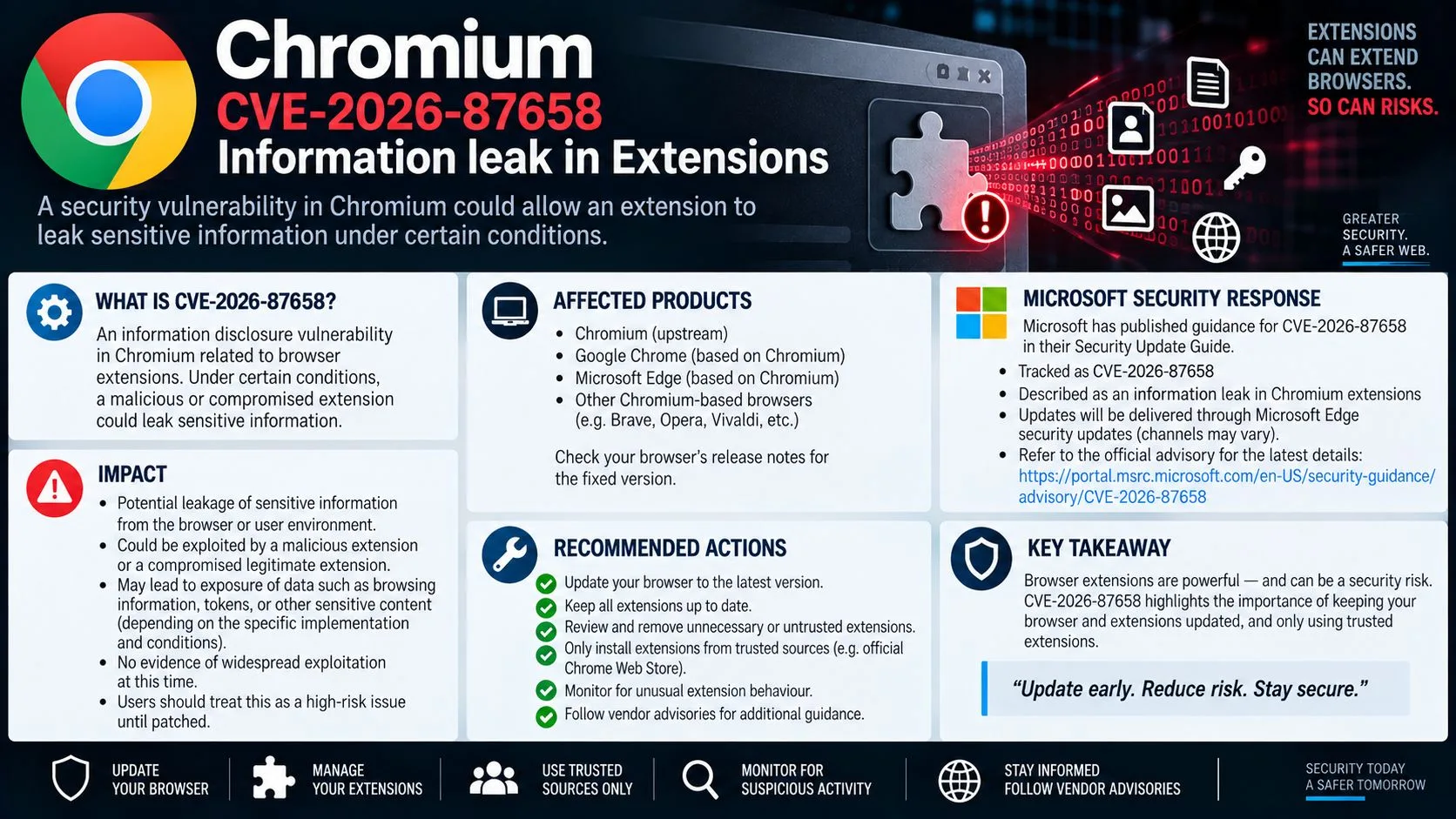
- CVE-2026-87658 is a confirmed information leak vulnerability in Google Chrome’s Extensions system, patched in version 153.0.8010.36.
- The attack requires social engineering — meaning a user must be tricked into installing a malicious extension before any data can be stolen.
- Despite its medium CVSS score of 4.3, this vulnerability exposes cross-origin data, which can include sensitive information from other browser tabs or web apps.
- Updating Chrome to version 153.0.8010.36 or later is the single most effective fix — but extension hygiene and monitoring matter just as much long-term.
- Several related vulnerabilities were patched in the same Chrome release — including a critical buffer overflow (CVE-2026-87654) — meaning this update carries more weight than it might appear.
A medium-severity vulnerability in Chrome’s extension system is quietly leaking cross-origin data — and most developers haven’t patched it yet.
CVE-2026-87658 was disclosed on September 9, 2026, and affects all versions of Google Chrome prior to 153.0.8010.36. The vulnerability lives inside Chrome’s Extensions subsystem, and it allows a remote attacker to extract cross-origin data from a victim’s browser session — without needing any special privileges on their machine. The attack vector is social engineering, meaning the attacker has to convince a target to install a crafted Chrome extension that triggers the leak. Strix tracks vulnerabilities like this one across the CVE ecosystem, helping security teams stay ahead of exposures before they become incidents.
Your Chrome Browser Has a Medium-Severity Data Leak — Here’s What That Means
When a CVE gets labeled “medium severity,” it’s tempting to deprioritize it. That’s a mistake here. CVE-2026-87658 targets the browser extension layer — a component that most users and developers treat as inherently trustworthy — and exploits it to pull data across origins that should be completely isolated from each other.
What CVE-2026-87658 Actually Does
CVE-2026-87658 is an information disclosure vulnerability (classified under CWE-200: Exposure of Sensitive Information to an Unauthorized Actor). In plain terms, it allows a malicious Chrome extension — one that a user was socially engineered into installing — to read data from web origins it should have no access to. Cross-origin isolation is one of the browser’s most fundamental security boundaries, and this vulnerability cracks it open through the extensions API surface.
Who Is at Risk
Any user or developer running Google Chrome versions prior to 153.0.8010.36 on any platform is technically vulnerable. That includes Windows, macOS, and Linux environments. Developers are at particular risk because they often install experimental, unverified, or developer-mode extensions as part of their workflow — which is precisely the attack surface this vulnerability exploits. Enterprise environments with managed Chrome deployments that haven’t pushed the latest update are also exposed. For more details, you can refer to the CVE-2026-87658 vulnerability report.
Why “Medium Severity” Still Demands Immediate Action
The CVSS score of 4.3 reflects the fact that this vulnerability requires user interaction — the attacker can’t trigger it remotely without the victim installing the extension. But that score doesn’t capture the potential downstream impact. Cross-origin data leaks can expose authentication tokens, session cookies, form data, and API responses from other tabs. For a developer with multiple sensitive web apps open in the same browser session, that’s a significant exposure window. The EPSS model estimates a 0.23% probability of exploitation in the next 30 days — low, but not zero, and that number can shift quickly if a working proof-of-concept surfaces publicly.
The Technical Breakdown of CVE-2026-87658
Understanding how this vulnerability works at a technical level is what separates a developer who patches and moves on from one who actually closes the attack surface. The flaw is rooted in how Chrome’s Extensions subsystem handles cross-origin data access — and it’s more nuanced than a simple permission misconfiguration. For a broader understanding of cybersecurity threats, exploring cybersecurity testing methods can provide valuable insights.
Official CVE Description: “Information leak in Extensions in Google Chrome prior to 153.0.8010.36 allowed a remote attacker leveraging social engineering to obtain cross-origin data via a crafted Chrome extension. (Chromium security severity: Medium)”
— CVE Record, cve.org / NVD
Cross-Origin Data Leaks Explained Simply
Browsers enforce the Same-Origin Policy (SOP) to prevent one website from reading data belonging to another. If you have your banking app open in Tab A and a random website open in Tab B, Tab B should have zero visibility into Tab A’s content, cookies, or responses. A cross-origin data leak breaks that guarantee. In CVE-2026-87658, the crafted extension acts as a bridge — operating with elevated browser-level trust that ordinary web pages don’t have — and uses that trust to read data it was never supposed to access.
How a Crafted Chrome Extension Triggers the Vulnerability
Chrome extensions operate with a privilege model that sits above standard web pages. They can interact with browser APIs, inject scripts into pages, and in some configurations, observe network traffic. CVE-2026-87658 exploits an improperly guarded pathway in the Extensions subsystem that allows a malicious extension to query or receive cross-origin data without explicit authorization. The attacker distributes a crafted extension — disguised as a productivity tool, developer utility, or other benign-looking package — and once installed, the extension silently leverages this flaw to exfiltrate cross-origin content back to attacker-controlled infrastructure.
CWE-200: The Weakness Class Behind This Exploit
CVE-2026-87658 is mapped to CWE-200, which covers the unintended exposure of sensitive information to unauthorized parties. This weakness class is extremely broad — it covers everything from verbose error messages to full data exfiltration — but in this context, it specifically refers to the browser exposing cross-origin response data through an insufficiently restricted extension API call.
CWE-200 vulnerabilities are particularly dangerous in browser environments because the “sensitive information” in scope isn’t just files on a server — it’s live session data, tokens, and real-time application state. A developer logged into AWS Console, GitHub, and an internal admin panel simultaneously presents three distinct cross-origin targets in a single browser session. For those interested in understanding more about the complexities of cybersecurity, consider exploring cybersecurity compliance requirements.
| Attribute | Detail |
|---|---|
| CVE ID | CVE-2026-87658 |
| Affected Software | Google Chrome < 153.0.8010.36 |
| Weakness | CWE-200 (Information Exposure) |
| Attack Vector | Remote, via social engineering |
| CVSS Score | 4.3 / 10 (Medium) |
| EPSS Probability | 0.23% (next 30 days) |
| Chromium Severity | Medium |
| Published | September 9, 2026 |
| Fixed Version | 153.0.8010.36 and later |
CVSS 4.3 and EPSS 0.23%: What These Scores Tell You
The CVSS score of 4.3 places this in the medium band, primarily because exploitation requires user interaction — the victim must install the malicious extension. There’s no remote code execution, no privilege escalation, and no unauthenticated network-level access. However, the impact subscore still reflects meaningful confidentiality loss. The EPSS score of 0.23% is a probability estimate from the Exploit Prediction Scoring System, representing the likelihood of active exploitation within 30 days of scoring. While that sounds small, it should be read relative to the base rate of all CVEs — the majority never get exploited at all. A score above 0.1% warrants attention, especially when the vulnerability involves a browser used by hundreds of millions of people.
How the Social Engineering Attack Works
The attack chain behind CVE-2026-87658 doesn’t start with a zero-day exploit or a sophisticated network intrusion — it starts with a convincing lie. Social engineering is the delivery mechanism here, and it’s effective precisely because it targets human behavior rather than technical defenses. An attacker doesn’t need to break through a firewall if they can convince a developer to willingly open the front door by installing a malicious extension.
What makes this particularly dangerous in developer environments is context. Developers regularly install browser extensions from outside the Chrome Web Store — unpacked extensions loaded in developer mode, extensions shared through Slack or GitHub, beta tools from vendors — all of which bypass Google’s standard review process entirely. The attacker’s crafted extension doesn’t need to look sophisticated. It just needs to look useful.
How Attackers Trick Users Into Installing Malicious Extensions
The most common delivery methods for malicious extensions targeting developers include fake productivity tools posted to GitHub, typosquatted extension listings on the Chrome Web Store, malicious packages distributed through developer community forums or Discord servers, and phishing emails impersonating legitimate tool vendors with a “download our new extension” call to action. Once the extension is installed — even temporarily — the damage can be done silently in the background while the user continues their normal workflow, completely unaware.
What Data Can Be Stolen Through Cross-Origin Exposure
The cross-origin data accessible through CVE-2026-87658 isn’t limited to static page content. Depending on what the victim has open in their browser at the time, a malicious extension exploiting this flaw could access OAuth tokens and session cookies from authenticated web apps, API responses containing internal data from admin panels or dashboards, form inputs including credentials being typed in real time, and web app state data from single-page applications running in adjacent tabs. For a developer with cloud consoles, CI/CD dashboards, and internal tooling open simultaneously, a single exploited session could expose credentials across multiple critical systems.
Affected Versions of Google Chrome and Chromium
The vulnerability affects a wide swath of currently deployed Chrome and Chromium installations. If you haven’t updated recently — or if your organization relies on managed browser deployments that lag behind Google’s release cadence — there’s a real chance your environment is still running an affected version right now.
All Chrome Versions Prior to 153.0.8010.36 Are Vulnerable
Google’s own CVE record is unambiguous: any version of Google Chrome below 153.0.8010.36 is affected by CVE-2026-87658. This is a hard version cutoff — there are no partial mitigations or workarounds within older builds. The fix was introduced specifically in the 153.0.8010.36 release, and the patch addresses the improperly guarded cross-origin data pathway in the Extensions subsystem directly.
Chromium-based browsers that share Google Chrome’s extension engine and haven’t applied the equivalent upstream patch are also in scope. This means browser distributions built on the Chromium open-source project — if they lag behind the patch — carry the same exposure even if they aren’t Google Chrome proper. For more information on potential vulnerabilities, you can read about the Peep backdoor tool for Chrome.
| Browser / Distribution | Vulnerable? | Fix Available? |
|---|---|---|
| Google Chrome < 153.0.8010.36 | ✓ Yes | Update to 153.0.8010.36+ |
| Google Chrome ≥ 153.0.8010.36 | ✗ No | Already patched |
| Chromium (upstream unpatched builds) | ✓ Yes | Apply upstream Chromium patch |
| Chromium (Debian Bookworm package) | Status varies | Check package version via apt |
| Chromium (Debian Trixie / Sid) | Status varies | Check package version via apt |
| Microsoft Edge (Chromium-based) | Investigate separately | Monitor Microsoft Security advisories |
| Brave Browser | Investigate separately | Monitor Brave release notes |
For enterprise teams managing Chrome through Google Admin Console or a Mobile Device Management (MDM) platform, verifying the deployed version across all endpoints should be the immediate first step — not assumed, but confirmed with a version audit.
Debian Package Status Across Bookworm, Trixie, and Sid
Linux developers running Chromium through Debian’s package management system face a different update path than users running Google Chrome directly. Debian maintains its own Chromium packages, and the timing of security patches in those packages does not always align with Google’s release schedule. This creates a window where Debian users may believe they’re up to date — because their system packages are current — while still running a Chromium build that contains unpatched CVEs.
To check your current Chromium version on Debian-based systems, run chromium --version or chromium-browser --version from the terminal. Then cross-reference against the Debian Security Tracker for CVE-2026-87658 to confirm whether the version in your specific Debian branch (Bookworm, Trixie, or Sid) has received the patch. The Debian Security Tracker maintains per-release patch status for each CVE, and it’s the authoritative source for this information on Debian systems.
If the patch hasn’t landed in your Debian branch yet, the practical mitigation is to disable all non-essential Chromium extensions immediately, avoid installing any new extensions from unverified sources, and monitor the Debian Security Tracker for the patch landing in your branch’s package repositories.
How to Fix CVE-2026-87658 Right Now
The fix for CVE-2026-87658 is straightforward in principle — update Chrome to version 153.0.8010.36 or later — but a complete remediation goes beyond a single browser update. The vulnerability exploits the extension layer, which means your extension hygiene, monitoring practices, and patch management processes all factor into whether you’re actually protected or just partially patched.
For developers specifically, the remediation checklist looks different than it does for a general consumer. You’re likely running more extensions, operating in more sensitive browser sessions, and potentially managing Chrome deployments for an entire team. Each of those dimensions needs to be addressed.
Here’s what a complete remediation looks like across all exposure points:
- Update Google Chrome to version 153.0.8010.36 or later on every affected machine immediately.
- Audit all installed extensions — remove anything unverified, unused, or installed from outside the Chrome Web Store.
- Apply Chromium patches on Linux systems through your distribution’s package manager and verify the version post-update.
- Enable Enhanced Safe Browsing in Chrome settings to add a layer of detection for known malicious extensions and URLs.
- Implement extension allowlisting in enterprise environments via Google Admin Console to prevent unauthorized extension installation across managed devices.
- Monitor browser extension behavior using endpoint security tools capable of detecting anomalous extension API activity.
1. Update Google Chrome to Version 153.0.8010.36 or Later
Open Chrome and navigate to chrome://settings/help — Chrome will automatically check for and apply the latest update from this screen. After the update installs, confirm the version displayed shows 153.0.8010.36 or higher. A browser restart is required for the update to take effect, and without that restart, the patch is downloaded but not active. Don’t skip the relaunch step. For more information on securing your systems, consider reading this Peep backdoor tool guide.
For enterprise environments using Google Admin Console, navigate to Devices > Chrome > Settings > Device Settings and confirm that auto-update policies are enforcing the current stable channel build. If your organization pins Chrome to a specific version for compatibility reasons, that pinned version needs to be updated to 153.0.8010.36 as a minimum — version pinning that locks users to a vulnerable build is not an acceptable risk posture for a known CVE.
2. Audit and Remove Unverified Chrome Extensions
Navigate to chrome://extensions and review every installed extension with fresh eyes. For each one, ask: do you know exactly what it does, who published it, and why it has the permissions it’s requesting? Extensions with broad host permissions (such as “Read and change all your data on all websites”), extensions installed in developer mode from local sources, and extensions you don’t actively use should all be removed. An extension you installed six months ago and forgot about is an attack surface that’s been sitting open the entire time.
3. Apply Chromium Patches on Linux Distributions
Terminal commands to check and update Chromium on Debian-based Linux systems:
# Check current version
chromium –version# Update package list and upgrade Chromium
sudo apt update && sudo apt upgrade chromium# Verify updated version
chromium –version
After running the update, confirm the version output reflects a patched build. If the Debian package repositories for your branch haven’t received the patched version yet, you’ll need to either switch to Google Chrome’s official Linux package (which follows Google’s release schedule directly) or implement the extension-level mitigations described above while you wait for the Debian package to catch up. For more information on the vulnerability, you can visit the Debian security tracker.
On Red Hat-based distributions (Fedora, RHEL, CentOS Stream), Chromium is typically available through either the distribution’s official repositories or third-party repos like RPM Fusion. Use sudo dnf update chromium to pull the latest available build, then verify the version manually. RPM-based distributions may have different patch timelines than Debian, so version verification after update is non-negotiable.
For developers running Chromium inside Docker containers or CI/CD pipelines — a common pattern for automated browser testing — the container base image needs to be rebuilt with the patched Chromium version. A running container won’t self-update, and a vulnerable Chromium binary inside a CI pipeline that processes sensitive web app interactions is an often-overlooked but real exposure point. Rebuild affected images and push updated versions to your container registry as part of this remediation cycle. For more details, you can refer to the CVE-2026-87658 vulnerability.
4. Enable Chrome’s Enhanced Safe Browsing Mode
Chrome’s Enhanced Safe Browsing mode adds real-time URL checking, file scanning, and extension vetting on top of Chrome’s standard protection layer. For CVE-2026-87658 specifically, the most relevant benefit is that Enhanced Safe Browsing cross-references installed extensions against Google’s known-malicious extension database in real time — giving you an active detection layer against the exact delivery mechanism this vulnerability relies on.
To enable it, go to chrome://settings/security and select “Enhanced protection” under the Safe Browsing section. The setting takes effect immediately without a browser restart. Note that Enhanced Safe Browsing does share some browsing data with Google for threat analysis — if your organization has data sovereignty requirements, evaluate this against your policy before enabling it across managed devices. For individual developers, the security benefit clearly outweighs the privacy trade-off given the active threat landscape.
Enhanced Safe Browsing won’t retroactively remove an already-installed malicious extension — that’s why the extension audit in step 2 has to come first. Think of this setting as the ongoing detection layer that operates after you’ve cleared your current extension slate. It’s a forward-looking control, not a remediation tool.
Chrome Safe Browsing Modes Compared:
Feature Standard Protection Enhanced Protection Real-time URL checks ✗ No (list-based) ✓ Yes Extension safety checks Periodic Real-time File download scanning Basic Deep scan Proactive threat reporting ✗ No ✓ Yes Data shared with Google Minimal More (for analysis)
5. Monitor for Suspicious Extension Behavior
Patching and auditing cover the known threat. Monitoring covers what you haven’t discovered yet. Endpoint security tools like CrowdStrike Falcon, Carbon Black, and SentinelOne can detect anomalous browser extension behavior — including unusual cross-origin network calls, unexpected DOM access patterns, and data exfiltration attempts to unfamiliar external endpoints. If your security stack includes one of these tools, confirm that browser extension monitoring is enabled and that Chrome extension activity is being logged and reviewed.
For teams without enterprise endpoint security, Chrome’s built-in Safety Check feature (accessible at chrome://settings/safetyCheck) provides a lightweight alternative. It flags extensions that have been removed from the Chrome Web Store since installation — a strong indicator that an extension violated Google’s policies and was pulled. Run this check after any new extension installation and schedule it as a recurring task in your security operations cadence, at minimum monthly.
CVE-2026-87658 in Context: Related Chrome Vulnerabilities Patched in the Same Release
CVE-2026-87658 didn’t ship alone. The Chrome 153.0.8010.36 release addressed a cluster of vulnerabilities simultaneously, and the severity range across that patch batch is significant. Understanding what else was fixed in this release reinforces why treating this as a routine update rather than a critical security event is the wrong call.
The most severe vulnerability patched in the same release was CVE-2026-87654 — a buffer overflow in ANGLE (Chrome’s graphics abstraction layer) on Windows, carrying a CVSS score of 9.6 and classified as Critical severity. Also patched were CVE-2026-87655 (clickjacking in Chrome’s Downloads UI, CVSS 5.4), CVE-2026-87656 (improper state validation in Safe Browsing, CVSS 5.4), CVE-2026-87657 (use-after-free in V8, Chrome’s JavaScript engine, CVSS 3.1), and CVE-2026-87652 (incorrect authorization in the Push API, CVSS 3.1). A single update to 153.0.8010.36 closes all of these simultaneously — there’s no scenario where deferring this update is the right operational decision.
This Vulnerability Is Not in CISA’s KEV Catalog — But Don’t Ignore It
CVE-2026-87658 Status Summary:
Indicator Status CISA KEV Listed ✗ No Active exploitation confirmed ✗ Not confirmed Public proof-of-concept available Not publicly confirmed EPSS exploitation probability (30 days) 0.23% CVSS Score 4.3 (Medium) Patch available ✓ Yes — Chrome 153.0.8010.36
CISA’s Known Exploited Vulnerabilities (KEV) catalog lists CVEs that have confirmed, active exploitation in the wild. CVE-2026-87658 is not currently on that list — which means there’s no confirmed evidence of widespread active exploitation at the time of disclosure. That’s genuinely good news, but it’s not a reason to stand down.
The KEV catalog is reactive by design. Vulnerabilities appear on it after exploitation is confirmed — not before. By the time a CVE lands on the KEV list, attackers have already built and deployed working exploits against real targets. Waiting for CISA KEV listing as a trigger for patching means you’re always responding to exploitation that’s already in motion, never ahead of it.
The more useful framing for CVE-2026-87658 is this: the patch exists, it’s free, it takes less than two minutes to apply, and it closes not just this vulnerability but five others in the same release — including a critical-severity buffer overflow. The cost of patching is effectively zero. The cost of not patching is a known, quantified risk of cross-origin data exposure through Chrome’s extension layer.
For security-conscious development teams, the decision tree here is simple. Patch now, audit extensions, enable monitoring, and move on. Don’t wait for a KEV listing to tell you what the CVE record already makes clear.
Frequently Asked Questions
CVE-2026-87658 sits at the intersection of browser security, extension trust models, and social engineering — which generates a lot of specific questions from developers trying to understand their actual exposure. Here are the most important ones answered directly.
These answers are based on the official CVE record, CVSS scoring data, EPSS probability modeling, and the CWE-200 weakness classification applied to this vulnerability.
What is CVE-2026-87658?
CVE-2026-87658 is an information leak vulnerability in Google Chrome’s Extensions subsystem. It allows a remote attacker who uses social engineering to trick a user into installing a crafted Chrome extension to obtain cross-origin data — meaning data from web origins the extension should have no access to. It was disclosed on September 9, 2026, and assigned a CVSS score of 4.3 (Medium) with a Chromium internal severity rating of Medium.
The vulnerability is classified under CWE-200 (Exposure of Sensitive Information to an Unauthorized Actor) and affects all Google Chrome versions prior to 153.0.8010.36. The fix was introduced in Chrome 153.0.8010.36, and updating to that version or later fully resolves the vulnerability.
Which version of Chrome fixes CVE-2026-87658?
Google Chrome version 153.0.8010.36 is the first version that contains the fix for CVE-2026-87658. Any version at or above 153.0.8010.36 is not affected. To verify your current version, open Chrome and navigate to chrome://settings/help — the version number is displayed there, and Chrome will automatically check for updates from that screen.
Can CVE-2026-87658 steal my passwords?
It depends on what’s happening in your browser session at the time of exploitation. CVE-2026-87658 enables cross-origin data exposure — meaning a malicious extension could potentially access data from other browser tabs or web app sessions. For more information on cybersecurity threats and testing methods, the types of data that could be exposed include:
- Session cookies and authentication tokens from logged-in web applications
- API responses containing sensitive application data
- Form field content — including credentials being entered in real time
- Web application state data from single-page applications in adjacent tabs
- HTTP response bodies from cross-origin requests that the extension intercepts
If a password manager extension is active in the same browser session and the malicious extension can interact with its DOM or API surface, credential exposure is theoretically within scope. However, the precise data accessible depends on the specific implementation of the malicious extension and which browser APIs it leverages to exploit the flaw.
The important nuance is that CVE-2026-87658 is not a keylogger or a direct credential harvesting exploit by design — but the cross-origin access it enables could be used to capture credentials indirectly, depending on how the attacker crafts the malicious extension’s payload.
The safest assumption is that if you were running a vulnerable version of Chrome with an unverified extension installed, any sensitive data visible or active in your browser session during that period should be treated as potentially compromised. For more details, you can check the CVE-2026-87658 vulnerability. Rotate tokens, invalidate sessions, and change passwords for any high-value accounts accessed during that window.
Is CVE-2026-87658 being actively exploited in the wild?
As of the CVE’s disclosure date of September 9, 2026, there is no confirmed evidence of active exploitation in the wild. CVE-2026-87658 is not listed in CISA’s Known Exploited Vulnerabilities catalog, and no public proof-of-concept exploit code has been confirmed as available.
The EPSS model assigns a 0.23% probability of exploitation occurring within 30 days of scoring. While that number is low in absolute terms, it is above the baseline for most CVEs that never see exploitation, and it reflects the fact that the vulnerability’s attack mechanism — social engineering via a browser extension — is a well-understood and frequently used technique by threat actors targeting developers and enterprise users.
The absence of confirmed exploitation is not a guarantee of safety. Social engineering-based browser extension attacks are difficult to detect at the network level, and many incidents go unreported or are misattributed. The practical recommendation remains unchanged regardless of exploitation status: patch immediately, audit extensions, and implement monitoring.
Does CVE-2026-87658 affect Chromium-based browsers like Edge or Brave?
CVE-2026-87658 is specifically confirmed for Google Chrome prior to version 153.0.8010.36. However, because Microsoft Edge, Brave, Opera, and other Chromium-based browsers share significant portions of Chrome’s underlying codebase — including the Extensions subsystem where this vulnerability exists — the theoretical exposure extends to those browsers if they haven’t applied the equivalent upstream Chromium patch.
Whether a specific Chromium-based browser is affected depends entirely on which version of the Chromium engine it’s built on and whether the browser vendor has backported or applied Google’s patch to their own release. Microsoft Edge follows its own security advisory cadence through the Microsoft Security Response Center (MSRC). Brave Browser publishes its own release notes and security advisories. Both should be checked directly against their respective security channels for CVE-2026-87658 patch status.
The safest approach for any Chromium-based browser is to update to the latest available version immediately, verify that the version is built on a patched Chromium base, and apply the same extension audit and monitoring practices described in this guide regardless of which browser you’re running. The attack surface — user-installed browser extensions with access to the Extensions API — is shared across all Chromium-based browsers.