Key Points
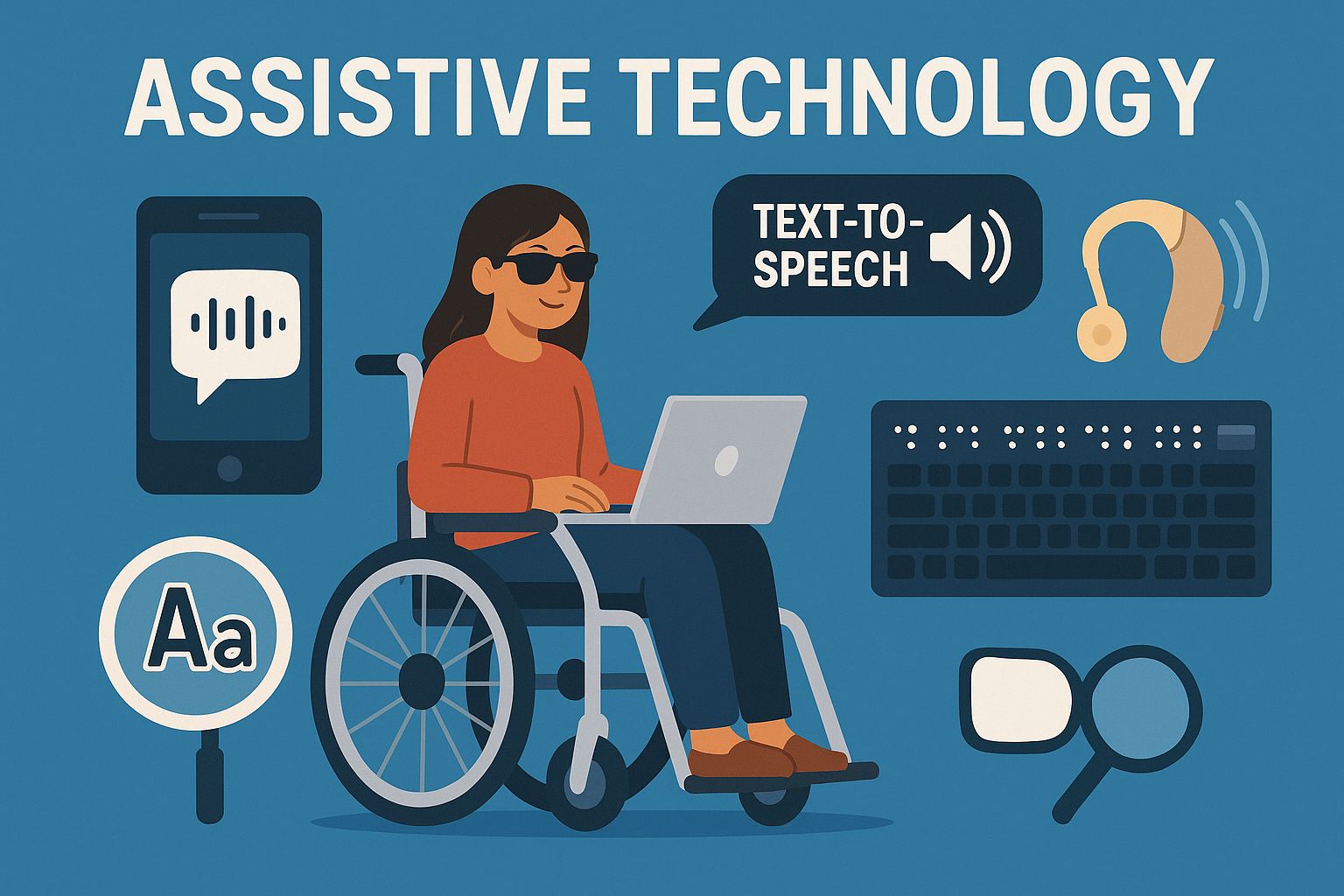
- Amazon Echo and Google Home are examples of smart home assistants that serve as the foundation for accessible living, allowing for voice control of multiple home systems
- Screen readers like JAWS and NVDA have come a long way, providing comprehensive computer access for visually impaired users, while mobile options like VoiceOver and TalkBack provide accessibility on the go
- Today’s hearing assistance goes beyond traditional aids to include smart devices with Bluetooth connectivity, visual alert systems, and real-time speech-to-text applications
- Mobility technology has evolved to include smart wheelchairs with navigation capabilities and eye-gaze systems for those with severe mobility limitations
- AbilityTech Solutions offers comprehensive assessments to help individuals find the perfect assistive technology match for their specific needs and lifestyle
Assistive technology can be a game changer. It can open up communication channels and make independent living possible. These devices can fill in the gaps and create opportunities that were once unthinkable. With technology evolving at breakneck speed, individuals with disabilities now have access to more and more sophisticated tools that can be tailored to their specific needs.
Discovering the ideal assistive tech solution necessitates knowing what options exist and how they can be tailored to individual situations. AbilityTech Solutions is committed to linking people with disabilities to life-altering technology by providing personalized assessments and recommendations based on each individual’s distinct circumstances. Their team of accessibility specialists assesses needs, preferences, and living situations to guarantee the ideal pairing between person and technology.
10 Assistive Tech Devices That Will Change Your Life
Assistive technology has come a long way from simple modifications. It has evolved into complex systems that can revolutionize daily life. The most effective devices have one thing in common: they eliminate obstacles instead of merely circumventing them. These technologies augment abilities, streamline complicated tasks, and open up new opportunities for independent living for a wide range of disabilities.
The best assistive devices are those that are easily incorporated into the lives of the users while providing them with the support they need. They are functional and easy to use, requiring little training while giving the user a sense of independence. Durability is also a key factor – assistive technology is a significant investment, and devices that can withstand daily use offer better value in the long run.
When looking at assistive technology options, think about not just what you need now but what you might need in the future. The best solutions will grow with you, adjusting to your changing abilities and situations with features that can be customized and paths for upgrades in AI technology.
Smart Home Assistants: The Key to Accessible Living
Smart home technology has changed the game for accessibility by creating centralized control systems that react to voice, touch, or programmed automation. These systems turn regular living spaces into interactive environments that cater to a variety of needs and abilities. From managing lighting and temperature to security and entertainment, smart home integration lessens physical requirements while enhancing independence.
Amazon Echo and Google Home as Accessibility Hubs
Voice-activated assistants are now essential technologies in accessible homes. Amazon Echo with Alexa and Google Home with Google Assistant provide incredibly user-friendly interfaces that require little physical interaction. These devices respond to natural language commands, removing the need for exact physical movements or complicated button sequences that could pose a challenge for users with mobility or dexterity limitations.
The benefits of accessibility go way beyond convenience. For those with visual impairments, voice assistants offer a way to access information without needing to look at a screen. For those with mobility issues, they can control connected devices throughout their home without having to move. And for those with cognitive disabilities, voice commands are often more intuitive than remembering complicated sequences of buttons or app functions.
Both platforms provide specialized accessibility features. Amazon’s Echo Show offers screen magnification, high-contrast mode, and captioning for users with partial vision or hearing. Google Home provides voice speed adjustments and response latency settings that can be customized for users with speech or processing differences. For those interested in the latest advancements, check out the AI technology news and latest developments.
Getting the Most Out of Voice Commands
Customizing a voice assistant can turn it into a powerful tool for accessibility. Start by setting up routines that can perform multiple tasks with a single command. For example, saying “good morning” could raise the blinds, adjust the thermostat, and have the assistant read out the weather and your schedule for the day. Both platforms also allow users with speech differences to use alternative activation words and are getting better at recognizing a variety of speech patterns.
Placing devices in strategic locations throughout your home will ensure that you get the best coverage without having to raise your voice. Most homes will benefit from having multiple devices, with the main devices being placed in the bedroom and living room, and optional smaller devices in the bathroom or other areas where you might need some help. Many people have found that the smaller versions of these devices, like the Echo Dot or Google Mini, work just as well and are a more affordable option for these secondary locations.
“My Echo devices gave me back my independence after my spinal cord injury. I control everything from my bed – lights, TV, thermostat, even video calls with my grandkids. The peace of mind knowing I won’t be stuck in the dark or unable to call for help is priceless.” – Maria T., C4 spinal cord injury survivor
Compatibility with Other Assistive Devices
The true power of smart assistants emerges when they connect with specialized assistive technology. Both major platforms integrate with accessibility-focused products like smart locks that eliminate key manipulation, motorized window coverings that respond to voice commands, and smart plugs that control otherwise inaccessible devices. This ecosystem approach multiplies the impact of each individual technology.
For those with more intricate needs, Control4 or Savant systems provide all-inclusive home automation with specialized accessibility interfaces. These professional installations can include adaptive switches, eye gaze control, or other custom input methods. While these systems are pricier than consumer-level solutions, they offer unmatched customization for users with specific needs.
High-tech Screen Readers for the Visually Impaired
Screen readers convert digital content into audio or braille, making computers, phones, and tablets usable for people who are blind or visually impaired. These advanced programs take visual information—everything from text and icons to images with alt text—and convert it into a format that doesn’t require sight. Today’s screen readers do much more than just read text aloud; they provide complete navigation systems for digital spaces.
There have been significant advancements in technology in recent years. In the past, screen readers only offered basic functionality and the speech sounded robotic. Today, they include voices that sound natural, reading speeds that can be customized, and intelligent context recognition that adapts to different applications and interfaces. Most importantly, they offer true independence in digital environments that would otherwise be inaccessible.
JAWS or NVDA: Which Screen Reader is More Functional?
JAWS (Job Access With Speech) and NVDA (NonVisual Desktop Access) are the top choices for Windows users, each with their own unique benefits. JAWS, created by Freedom Scientific, provides thorough support for complicated applications, superior stability, and a wide range of customization options. Its professional support system and frequent updates make it the go-to option in many educational and work settings. However, its licensing fee – around $1,000 for a perpetual license – can be a major obstacle for many users.
JAWS or NVDA: Choosing the Right Screen Reader
For Windows users, JAWS (Job Access With Speech) and NVDA (NonVisual Desktop Access) are the top two screen reader options. JAWS, created by Freedom Scientific, is known for its robust support for complicated applications, high level of stability, and numerous customization features. It is often the go-to choice in many schools and workplaces thanks to its professional support and regular updates. But the price tag – around $1,000 for a license that never expires – can be a deal-breaker for some.
NVDA, a free and powerful alternative, has seen significant improvements in recent years. Developed by NV Access, this open-source tool provides similar functionality to JAWS for most routine tasks. NVDA shines in web browsing, document reading, and email management, which are the primary activities for many users. Its compatibility with Microsoft Office suite has greatly improved, and it provides robust support for PDF documents when they are correctly formatted for accessibility. The fact that NVDA is free makes it a crucial tool for users on a tight budget.
When deciding which of these platforms to use, think about your particular usage requirements. JAWS still has the upper hand for specialized applications like complex database systems or certain proprietary software. NVDA performs admirably for standard computing tasks and continues to increase its functionality through add-ons developed by the community. Many seasoned users keep both systems, using NVDA as their main reader and saving JAWS for particular applications where it shines. If you’re interested in expanding your technical knowledge, you might find this guide on creating VMware ESXi 7 VMs useful.
Mobile Screen Readers: VoiceOver and TalkBack
Mobile devices have evolved into accessibility powerhouses, thanks to built-in screen readers that require no additional purchase. Apple’s VoiceOver for iOS and Google’s TalkBack for Android have transformed smartphones and tablets into fully accessible tools through gesture-based interfaces and spoken feedback. These integrated solutions have dramatically increased digital access for visually impaired users by eliminating the need for expensive specialized devices.
Apple’s VoiceOver feature on iOS devices has been highly praised for its thorough integration throughout the Apple ecosystem. This system offers consistent navigation patterns across apps, reliable text recognition, and considerate features such as audio descriptions for images when they are available. The “rotor” gesture allows for quick navigation by different elements – such as headings, links, or form controls – which makes complex pages easier to navigate. Apple’s dedication to accessibility extends to offering extensive training resources specifically for VoiceOver users.
For Android users, TalkBack offers similar functionality, with continuous improvements in recent versions. The system now includes more intuitive gestures, better support for third-party apps, and enhanced feedback options. While historically less polished than VoiceOver, TalkBack has significantly closed the performance gap, especially on Google’s Pixel devices where the integration is most refined. To explore more about assistive technology options, visit the Assistive Technology Industry Association for comprehensive resources.
Advanced AI-Powered Visual Recognition Technology
AI technology has revolutionized visual accessibility by introducing apps that can describe the environment, identify objects, and read text instantly. Microsoft’s Seeing AI, which is available on iOS, is a perfect example of this, as it combines multiple tools into one free app. The app can read documents, recognize products by their barcodes, describe scenes, and even identify people. These features fill important gaps that traditional screen readers can’t, especially when it comes to navigating physical spaces and accessing printed materials.
Google’s Lookout is an app that offers similar features for Android users, with modes designed for different situations such as exploring new places, reading documents, or identifying food labels and money. The app uses the camera on the device to give continuous audio descriptions of the surroundings, creating a kind of “audio augmented reality” that improves spatial awareness. Recent updates have made the recognition of objects more accurate and have added support for more languages.
Be My Eyes offers a unique solution by linking blind users with sighted volunteers via video calls. This human-in-the-loop model handles complex visual problems that AI alone cannot yet reliably solve. If specialized knowledge is required, the app can connect users with company representatives from participating businesses for product-specific help – a feature that is especially helpful when dealing with appliances, electronics, or other technical items.
Modern Hearing Tech: More Than Just Amplification
Today’s hearing technology goes far beyond simply amplifying sound. It includes complex systems for processing sound, understanding the environment, and connecting seamlessly. These advanced solutions cater to a wide variety of needs, from mild hearing loss to profound deafness, and are becoming increasingly personalized. The best modern devices adapt to the user’s preferences and environmental conditions, rather than offering a one-size-fits-all solution.
The merging of consumer technology and specialized hearing devices has led to the creation of hybrid systems that are powerful, combining accessibility with mainstream functionality. This trend of integration reduces stigma and improves performance through larger development ecosystems and more frequent updates than what traditional medical devices alone could provide.
Bluetooth-Enabled Intelligent Hearing Aids
Instead of merely amplifying sounds, the most recent hearing aids act as comprehensive communication centers. Companies such as Phonak, ReSound, and Starkey now produce devices that connect directly to smartphones via Bluetooth, eliminating the need for intermediary transmitters. This wireless connection allows for direct audio streaming for phone calls, music, navigation directions, and other content with a level of clarity that was previously unattainable.
Another major breakthrough is the ability to control apps, which allows users to discreetly adjust settings via their smartphones. These companion apps offer fine-tuned control over sound profiles for various environments, such as automatically reducing background noise in restaurants, enhancing speech frequencies during conversations, or optimizing music playback. Some systems even use geolocation to remember preferred settings for frequently visited locations, automatically switching profiles when you enter your favorite coffee shop or workplace.
Many users no longer have to deal with the hassle and cost of disposable batteries thanks to rechargeable technology. Modern lithium-ion systems allow for all-day use on a single charge, and come with charging cases that look like those for wireless earbuds. This not only makes the devices more reliable, but also reduces the need for users to handle small batteries. This is a big advantage for users with multiple disabilities, including those with limited hand function.
Visual Alert Systems for Those with Hearing Impairments
Complete alerting systems change auditory information into visual or tactile cues all over the home. These systems usually have door sensors that activate flashing lights when someone knocks, visual fire/CO alarms that use strobe effects to alert during emergencies, and bed shakers that provide physical alerts during sleep. Modern systems can integrate multiple alert types into unified networks that ensure awareness no matter where the user is located within their home.
The integration of smart home technology has increased the capabilities of traditional alert devices by connecting them to mainstream technology. Philips Hue lighting systems, for example, can be programmed to change colors in response to doorbell rings, timers, or other events when connected with IFTTT (If This Then That) automation. Smartwatches provide subtle vibration alerts for notifications that would otherwise rely on audible cues, while also displaying text transcriptions of messages and calls.
- Sonic Alert HomeAware system integrates multiple alert types (doorbell, phone, smoke detector) into a unified hub with bed shakers and strobe lights
- Bellman & Symfon Visit system uses color-coded flashing to indicate different types of alerts (orange for doorbell, red for fire alarms)
- Serene Innovations CentralAlert notification system includes weather alerts and custom programming options
- Fire alarm strobe attachments like the First Alert SLED177 that add visual alerts to standard smoke detectors
Speech-to-Text Apps for Real-Time Communication
Real-time transcription apps have revolutionized everyday communication for deaf and hard of hearing individuals by converting spoken language to text instantaneously. Google’s Live Transcribe (Android) provides continuous speech-to-text conversion with remarkable accuracy, even identifying different speakers and non-speech sounds that provide environmental context. The app works without internet connection for privacy in sensitive settings like medical appointments or private conversations.
Otter.ai goes beyond traditional transcription services by providing real-time transcription of meetings that includes speaker identification and the ability to search archives. The software is able to differentiate between multiple speakers in complex environments such as classrooms or conference rooms, making group interactions more accessible. Because it is cloud-based, transcripts can be shared and collaboratively edited, creating valuable resources that benefit all participants, regardless of whether they can hear or not. For more insights on assistive technologies, you can explore the best assistive smart home technology for disabled individuals.
Mobile Screen Readers: VoiceOver and TalkBack
Mobile devices have become accessibility powerhouses thanks to built-in screen readers that require no additional purchase. Apple’s VoiceOver for iOS and Google’s TalkBack for Android transform smartphones and tablets into fully accessible tools through gesture-based interfaces and spoken feedback. These integrated solutions have dramatically expanded digital access for visually impaired users by eliminating the need for expensive specialized devices. For more on the impact of technology on accessibility, check out the latest developments in AI technology.
Apple’s VoiceOver on iOS devices has been highly commended for its complete integration across the Apple ecosystem. This system offers reliable text recognition, consistent navigation patterns across different apps, and even thoughtful features such as audio descriptions for images when they are available. The “rotor” gesture also provides a quick way to navigate through various elements such as headings, links, or form controls, which makes it easier to manage complex pages.
Similar to VoiceOver, TalkBack provides Android users with similar features that have been consistently enhanced in newer versions. The system now provides more user-friendly gestures, improved support for third-party apps, and better feedback options. While TalkBack was historically viewed as not as well-rounded as VoiceOver, the gap in performance has significantly decreased, especially on Google’s Pixel devices where the integration is most polished.
Revolutionary Visual Recognition Tools Enhanced by AI
Artificial intelligence has brought about a revolution in visual accessibility with apps that can describe the environment, identify objects, and read text in real time. Microsoft’s Seeing AI, which is available for iOS, is a prime example of this, as it combines multiple tools into a single free app. The app can read documents, recognize products by their barcode, describe scenes, and even identify people. For many users, these features provide essential functions that traditional screen readers are unable to provide.
Lookout by Google offers comparable features for Android users, with modes tailored to various situations, such as discovering new areas, reading documents, or recognizing food labels and money. The app uses the device’s camera to deliver ongoing audio descriptions of the surroundings, producing an “audio augmented reality” that boosts spatial understanding. Recent updates have enhanced the accuracy of object recognition and broadened the range of supported languages.
Freedom-Enhancing Mobility Devices
From traditional manual wheelchairs to advanced powered systems with computerized controls and environmental adaptations, mobility technologies have come a long way. These advancements not only tackle primary mobility issues but also address secondary concerns such as managing fatigue, relieving pressure, and providing postural support, which greatly improve the quality of life and independence.
The most successful mobility solutions take into account all aspects of a person’s life – the layout of their home, the demands of their job, their transportation needs, and their hobbies. This comprehensive approach ensures that devices improve rather than restrict participation in meaningful life activities. The pace of innovation in this field continues to increase as smart technologies and advanced materials open up new opportunities for customization and functionality.
Thanks to recent advancements in battery technology, power mobility aids have become far more practical for daily use. They’re now lighter, more reliable, and have a longer range. The introduction of quick-charging systems and removable batteries have also removed many of the logistical barriers that once limited the independence of power wheelchair users.
“I’ve used power wheelchairs for 25 years, and the difference between my current chair and my first one is like comparing a smartphone to a rotary telephone. The navigation features alone have opened up entirely new possibilities for independent travel.” – James K., wheelchair user
Smart Wheelchairs with Navigation Features
Advanced power wheelchairs now incorporate intelligent navigation systems that reduce physical and cognitive demands on users. Models from manufacturers like Permobil and Quantum Rehab offer features like obstacle detection, automated stability control on uneven terrain, and programmable memory positions that adjust seating for different activities. These smart functions transform chairs from simple mobility devices into sophisticated tools for environmental interaction.
One of the most important recent developments is navigation assistance. Systems like LUCI add safety and navigation intelligence to existing power wheelchairs through aftermarket modules. These systems use sensor arrays to prevent collisions, avoid drop-offs like stairs or curbs, and assist with difficult maneuvers in tight spaces. The technology reduces both physical and cognitive demands, making powered mobility accessible to users who might otherwise struggle with conventional controls.
Exoskeletons: What’s Available and Can You Afford It?
Powered exoskeletons such as the ReWalk and Indego systems have transitioned from being confined to research labs to being used in real-world settings. They allow some people with spinal cord injuries to stand and walk for specific tasks. These wearable robotic systems bear the user’s weight and power the movement of the legs in response to the user’s shifting center of gravity or control inputs from a companion app. While not yet appropriate for full-time mobility, they offer significant therapeutic benefits and psychological boosts from being able to stand eye-to-eye in social situations. For those interested in the technology behind these innovations, understanding the latest developments in AI technology can provide valuable insights.
Eye-Gaze Technology for People with Severe Mobility Issues
Eye tracking systems offer control over computers and the environment for individuals with severe physical disabilities who still have the ability to move their eyes. Devices from Tobii Dynavox and EyeTech Digital Systems use infrared cameras to track the movement of the pupils, converting the position of the eyes into cursor control with impressive accuracy. These systems allow for communication, computer access, and environmental control via interfaces that don’t need any physical movement other than the eyes.
Speech Tools for Communication Disabilities
Modern communication technologies have provided a voice for those who have difficulty speaking or being understood. These augmentative and alternative communication (AAC) tools range from speech-generating devices to tablet applications that can be tailored to individual vocabularies, cognitive abilities, and physical access methods. The field has come a long way from simple recorded messages to complex systems that support natural and spontaneous communication.
Symbol-based systems offer a way for people who can’t read or write to communicate by using pictures that stand for words or phrases. Text-based systems offer more vocabulary options for people who can read and write, but they need different ways to access them. The most advanced systems combine these two approaches with guessing what word the person will type next and storing phrases to make communication as efficient as possible while minimizing the amount of physical effort.
For people with degenerative conditions like ALS, voice banking has become a strong choice. With services like ModelTalker, people can record their natural voice while they still have the ability to speak. This creates personalized synthetic voices that can be used after their ability to speak has declined. Not only does this technology preserve the ability to communicate, but it also preserves an important part of personal identity that would otherwise be lost.
Touch-Screen AAC Devices and Apps
Thanks to tablet-based AAC apps, communication technology is now more accessible than ever before. These apps are much cheaper than dedicated devices, which has dramatically increased access to communication technology. Apps like Proloquo2Go, TouchChat, and LAMP Words for Life can turn a standard iPad or Android tablet into a highly effective communication system. They come with customizable vocabularies and user-friendly interfaces. These apps are often priced in the hundreds of dollars, rather than the thousands, making them affordable for many more families and individuals.
Systems that are grid-based arrange vocabulary into visual scenes or grids that are based on categories. These systems balance immediate needs with access to an extended vocabulary. The core vocabulary approaches focus on providing immediate access to words that are most frequently used. Motor planning systems like LAMP (Language Acquisition through Motor Planning) put emphasis on consistent motor patterns to develop automaticity. The best modern systems incorporate elements of all these approaches, customized to individual user needs.
Life-Changing Daily Living Aids
Simple solutions for everyday tasks can often have the biggest impact on one’s independence and quality of life. Whether it’s cooking or personal hygiene, adaptive devices can help overcome specific functional difficulties by compensating for things like reduced grip strength or limited mobility. The best solutions are those that not only serve a functional purpose but also maintain the dignity of the user by avoiding a medical appearance as much as possible.
Smart home technology has opened up a world of possibilities by allowing voice and automated control over things that were previously impossible to control. Devices like connected appliances, motorized window coverings, and remote-controlled environmental systems have created new opportunities for independence by reducing or eliminating the need for physical manipulation. Many of these smart home products are not marketed specifically as assistive technology, but they provide significant benefits for accessibility.
Home Automation for People with Limited Mobility
Home automation, once a luxury, has now become a necessity for many individuals with physical disabilities. Companies such as Control4, Savant, and Crestron offer systems that allow for complete control over home environments via accessible interfaces that can be operated through touch screens, voice commands, or specialized switches. These integrated systems control lighting, climate, entertainment, security, and even motorized doors or window coverings from centralized controls designed for the user’s specific abilities.
Automatic Pill Dispensers
Systems that manage medication are essential for maintaining good health and can also lighten the load for caregivers. Devices such as MedMinder and Hero can dispense the right medications at the right times, remind you to take your pills through lights, sounds, or phone notifications, and even notify caregivers if you forget to take your medication. These systems are particularly helpful for people who have memory issues, need to take multiple medications, or have physical disabilities that make it difficult to handle pills.
Adaptive Eating Utensils and Kitchen Tools
Specialized dining equipment addresses diverse needs from tremors to limited grip strength or one-handed use. Weighted utensils provide stability for those with tremors, while angled designs compensate for limited wrist range of motion. Rocker knives enable one-handed cutting, while plate guards and non-slip mats prevent food from sliding. The OXO Good Grips line, though not marketed specifically as adaptive equipment, offers excellent options with easy-grip handles and thoughtful designs that work well for many users with limited hand strength.
Health Monitoring Smart Watches
Wearable technology is a great way to monitor health and provide emergency assistance in a non-intrusive manner. Devices like the Apple Watch and Samsung Galaxy Watch offer features such as fall detection, heart rate monitoring, and emergency calling. This makes them a great alternative to traditional medical alert systems, which can often be stigmatizing due to their medical appearance. Additionally, these consumer devices often provide a better user experience and more frequent updates than traditional systems. They also offer additional features like medication reminders, fitness tracking, and communication options.
EdTech for Learning Differences
Assistive technology for learning disabilities has grown from basic accommodations to advanced tools that address particular processing differences. These technologies enable users to circumvent areas of difficulty while reinforcing underlying skills through alternative learning methods. The most successful solutions understand that learning differences represent a variety of cognitive styles rather than deficits, and offer tools that capitalize on individual strengths. For more on the latest trends, check out AI technology news.
Many recent developments in technology focus on presenting information in multiple ways at once, which is known as multimodal learning. For example, text-to-speech technology with synchronized highlighting can help with both visual and auditory processing, while dictation software can transform spoken language into written text. These tools can help accommodate a variety of learning styles, and they can also help develop strategies that can be useful throughout a person’s education and career.
Thanks to cloud-based tools, accessibility features are now available across all devices, removing the need for specialized equipment in many instances. Services like Microsoft’s Immersive Reader and Google’s Read&Write offer consistent support regardless of whether students are working at school, home, or elsewhere, providing seamless learning experiences no matter where they are.
Speech-to-Text and Text-to-Speech for Dyslexia
Support technologies for reading and writing create alternative pathways for accessing and expressing information. Text-to-speech systems like Read&Write, Kurzweil 3000, and built-in options in modern operating systems convert written text to spoken words with voices that sound natural and reading speeds that are adjustable. These tools support reading comprehension by reducing the cognitive load associated with decoding, allowing users to focus on meaning rather than the relationship between letters and sounds. Synchronized highlighting during reading reinforces tracking text and supports the connection between spoken and written language.
ADHD-Friendly Organization Apps
Apps that are designed to help with executive function difficulties provide external frameworks for organization and reminders that are timely. Todoist, Microsoft To Do, and Tiimo are all apps that provide visual scheduling. They also have notification systems that you can customize to remind you when it’s time to switch tasks or take medication. These apps help reduce cognitive load by taking over the job of managing time and sequencing. This allows the user to focus their attention on the task at hand instead of trying to keep a mental schedule.
Autism Spectrum Sensory Tools
Adapting the environment can help manage sensory sensitivities that could otherwise create barriers to learning and social participation. Noise-canceling headphones, such as those from Bose and Sony, can reduce auditory overload in busy environments, while products like the Onanoff Focus can selectively amplify the voice of a teacher while reducing background noise. Visual supports, from basic printed schedules to sophisticated apps like Visual Schedule, can provide predictability that reduces anxiety and supports transitions between activities.
Low-cost Assistive Tech Solutions
Assistive technology should be accessible to all, regardless of financial status. While some specialized equipment is inevitably expensive, there are many effective solutions that are available at little to no cost through mainstream technologies, creative adaptations, or funding assistance programs. The increasing intersection between consumer electronics and accessibility features has led to powerful options that are much cheaper than traditional assistive technology.
Knowing where to look for financial help is crucial when you need to access more expensive technologies. There are lots of ways to make assistive technology affordable, from insurance and government schemes to charities and tax breaks. The best way to get the support you need is often to mix and match these options with cheaper mainstream alternatives and clever tweaks.
Free and Affordable Apps That Can Replace Costly Hardware
Mobile platforms have revolutionized accessibility by offering potent free or inexpensive apps that can do the same job as specialized devices that cost thousands of dollars. Apps such as Voice Dream Reader offer text-to-speech features that are just as good as specialized systems but cost much less, while Microsoft’s Seeing AI provides several visual accessibility tools at no charge. These software solutions take advantage of the processing power and sensors in regular smartphones and tablets, so there’s often no need for devices that only do one thing.
Modern operating systems come with a variety of built-in accessibility features that provide a significant amount of functionality without requiring additional purchases. Features such as VoiceOver and TalkBack screen readers, dictation capabilities, magnification, and color adaptation are standard on mainstream devices. These integrated tools are becoming increasingly sophisticated and are now capable of matching or even exceeding the capabilities of dedicated solutions that were available just a few years ago.
Assistive Technology Projects You Can Do Yourself
Accessible design has been adopted by maker communities through open-source projects that can be built at a low cost. Websites like Instructables and Thingiverse provide free plans for adaptive equipment that can be 3D printed, such as utensil holders and tablet mounts. There are also organizations like ATMakers that connect volunteers who have technical skills with individuals who need customized solutions, creating assistive technology that either isn’t available commercially or would be too expensive through traditional means.
Simple modifications can often provide significant benefits at a low cost. Foam tubing from a hardware store can be used to enlarge grip surfaces on pencils, utensils, or tools for just a few dollars. 3M Command hooks can be used to create accessible storage that doesn’t require fine motor skills to use. Velcro straps can be used to secure items to wheelchairs or walkers, and silicone baking mats can provide non-slip surfaces for a variety of activities. These “life hacks” often work better than commercial products because they can be tailored to meet highly specific individual needs.
Options for Funding and Insurance Coverage
| Source of Funding | Typically Provides Coverage For | Requirements |
|---|---|---|
| Medicare | Durable medical equipment, communication devices (with restrictions) | Prescription from a doctor, documentation of medical necessity |
| Medicaid | Varies by state; often more comprehensive than Medicare | Qualifications for income, requirements specific to the state |
| Vocational Rehabilitation | Technology related to education and employment | Must support goals for employment, varies by state |
| Private Insurance | Varies widely by policy | Prescription from a doctor, prior authorization is common |
Medicaid often provides the most comprehensive coverage for assistive technology, though specific benefits vary significantly by state. Home and Community Based Services (HCBS) waivers can fund technologies that support independent living, including items not covered under standard benefits. Working with a knowledgeable case manager helps navigate these complex systems and identify all available funding options.
There are alternative funding sources that can help cover the costs that insurance and government programs do not. Nonprofits such as the Challenged Athletes Foundation provide mobility equipment for those who are active, and the ALS Association provides communication devices for those with ALS. Many equipment manufacturers offer financing programs that allow for payments over time, and some even offer rental options for those who only need equipment temporarily or want to try it out before buying.
Financial incentives, like tax benefits, can also help offset the cost of assistive technology. This includes medical expense deductions for costs not covered by insurance that exceed a certain percentage of your income. Flexible Spending Accounts (FSAs) and Health Savings Accounts (HSAs) also allow for pre-tax payments for eligible assistive technology, effectively giving you a discount equal to your tax rate on eligible purchases.
Students with disabilities can access dedicated routes to educational funding. Assistive technology required for academic success can be included in Individualized Education Programs (IEPs), while 504 Plans lay out the requirements for accommodation, including suitable technology. State educational agencies often run equipment lending libraries, which allow trials before purchase, and may provide funding assistance for technology owned by students.
Picking the Perfect Assistive Technology
Choosing the right assistive technology involves considering your functional needs, personal preferences, and practical factors like maintenance and support. The best methods start with a clear understanding of your goals and challenges rather than focusing on specific devices. This person-centered approach takes into account not just functional limitations but also personal interests, environmental factors, and available support systems that affect how successful the technology will be. For those interested in the latest advancements, exploring AI technology news can provide insights into emerging tools that could meet these diverse needs.
It’s important to ensure that you’re not just looking for a problem to solve with technology, but instead, carefully assessing the needs before choosing a technology. The most costly or technologically advanced option isn’t always the best for a specific person. Simple, reliable solutions that can easily be integrated into existing routines often offer more benefits than complex systems that address theoretical needs but present practical implementation problems.
One of the most common reasons why bought devices end up not being used, also known as technology abandonment, is because the device characteristics do not match the needs of the user or there is not enough training and support. To avoid this, it’s crucial to have a thorough assessment, the chance to try before you buy, and continuous support for implementation as needs and abilities evolve.
“The most sophisticated device in the world is worthless if it sits in a drawer. Success with assistive technology comes from finding the right match between person and tool, then providing the support needed to integrate it into daily life.” – Dr. Marcia Scherer, assistive technology outcomes researcher
Assessment Tools and Professional Consultations
Comprehensive evaluations conducted by occupational therapists, speech-language pathologists, or assistive technology specialists identify specific needs and match them to appropriate solutions. These professionals use structured assessment tools like the Student Environment Task Tools (SETT) Framework or the Matching Person and Technology (MPT) Assessment to systematically evaluate needs and preferences. Their expertise helps navigate the overwhelming array of available options while ensuring recommendations address the complete context of use.
If you’re looking for a specialist in assistive tech, you’ll want to find someone with Assistive Technology Professional (ATP) certification. This certification means they’re up-to-date on the latest products and know the best ways to use them. The Rehabilitation Engineering and Assistive Technology Society of North America (RESNA) has a directory you can use to find an ATP near you. They can help you find the right technology for your needs and show you how to use it.
Programs to Test Devices Before Purchase
State assistive technology programs operate equipment lending libraries that allow you to try out devices before you buy them. These programs, which are funded by the Assistive Technology Act, let you borrow equipment for trial periods that can last several weeks to several months. This lets you test the technology in the real-world settings where you will actually be using it. By doing this, you can discover the benefits and drawbacks of the device that you might not have been able to see from its specifications or from a short demonstration. This can greatly lower the chance that you will buy a device that is not right for you.
Existing Tech Compatibility
The way new tech fits into the ecosystem of your existing devices is a major factor in how well it works. The compatibility of operating systems, file formats, and connection methods can all have a big impact on how easy it is to use. Apple products usually work together smoothly, but they can be hard to connect to non-Apple devices. Android and Windows systems are usually more flexible in what they can connect to, but sometimes the connections aren’t as smooth. You should consider these factors before buying to avoid any frustrating compatibility issues that might make otherwise good tech not work for you.
It’s also essential to consider physical compatibility with things like mounting systems, switch interfaces, and charging methods. Making sure that new devices can physically connect with existing equipment can help avoid costly surprises after purchase. This is especially important for users of complex technology like power wheelchairs with integrated control systems or specialized switch access methods.
- Ensure the charging connector types and power requirements are suitable
- Make sure the mounting system is compatible with wheelchairs or other equipment
- Check the Bluetooth version compatibility for wireless connections
- Test if the file format is compatible between communication or writing systems
- Check if cloud services are compatible or if manual file transfers are required
When buying, consider both the upgrade paths and the stability of the manufacturer. Technologies from established companies with clear product development roadmaps usually provide better long-term value than those from startups that may not survive to provide ongoing support and updates. Evaluate whether devices can be modified or expanded as needs change to avoid premature replacement when minor adjustments would otherwise address evolving requirements. For more insights, you can explore this AI technology news article to understand the latest developments and trends.
The Next Generation of Assistive Tech Has Arrived
As accessibility features become more common in mainstream products, the boundary between general consumer tech and specific assistive devices is becoming less distinct. This is advantageous for everyone, as it broadens development resources, decreases the stigma of using specialized equipment, and fosters the creation of more user-friendly interfaces that work well for all users, regardless of their abilities. More and more, universal design principles are shaping product development across various industries, as it becomes clear that the benefits of accessibility reach far beyond just the disabled community.
Accessibility is set to be transformed by the rise of technologies such as artificial intelligence, advanced sensors, and brain-computer interfaces. These innovations will bring about more intuitive ways of interacting, greater customization, and a level of independence for those with severe physical disabilities that is currently unthinkable. The most thrilling developments will see several technologies combined into one system that can adapt to the needs and preferences of the individual, rather than the individual having to adapt to the limitations of the technology.
Brain-Computer Interfaces are Now Commonplace
Direct neural interfaces that bypass conventional physical input methods have evolved from the realm of science fiction to practical reality. Systems such as CTRL-Labs (purchased by Meta) convert neural signals from arm muscles into digital inputs without the need for actual movement, while firms such as Synchron and Neuralink are developing implantable interfaces that directly read brain activity. These technologies open up potential communication channels for people with conditions like ALS or brainstem stroke that limit physical movement while preserving cognitive function.
Personalized 3D-Printed Devices
3D printing technology allows for fast, affordable production of assistive devices that are personalized to the unique bodies and requirements of each individual. Organizations such as e-NABLE have developed volunteer networks that design and 3D print custom prosthetic hands and arms for a fraction of the usual cost. Similarly, companies like Protosthetics employ 3D scanning and printing to create solutions that are a perfect fit for unique body shapes. These technologies significantly cut down on both the cost and the time it takes to produce custom equipment, and they also allow for easy modifications as a person’s needs evolve.
The Way AI Is Changing Accessibility Tools
Artificial intelligence is making accessibility tools more natural and effective by improving the recognition of speech, images, and patterns. Voice assistants are becoming more skilled at understanding a variety of speech patterns, including those influenced by conditions such as cerebral palsy or ALS. Computer vision systems are getting better at interpreting visual information, while predictive text systems are speeding up communication by predicting needs based on context and user history. These AI capabilities will continue to increase the number of accessibility tools available and make interfaces more natural and intuitive.
Open standards and user communities are democratizing technology development, which speeds up innovation by allowing collaboration across traditional boundaries. Open-source projects are creating platforms that companies, researchers, and individuals can expand and personalize. Meanwhile, maker communities are sharing designs and fabrication techniques for low-cost solutions. This collaborative approach meets niche needs that might not be commercially viable. It also ensures technology reflects a variety of user perspectives instead of just a few developer assumptions.
Commonly Asked Questions
Choosing the right assistive technology can be a confusing process that often brings up many questions about how to select the right device, how to fund it, and how to use it in everyday life. The answers below will help you get started in addressing these concerns, but keep in mind that everyone’s situation is unique and may require more personalized advice. If you need more specific information, consider reaching out to professionals who are familiar with your situation and local resources. You might also find it helpful to consult with assistive technology specialists through state AT programs or rehabilitation facilities to get the information you need for your specific situation.
- What funding sources are available for assistive technology?
- How do I find qualified professionals to help with technology selection?
- Can I try devices before purchasing them?
- What happens if technology doesn’t work as expected after purchase?
- How do I stay current with emerging technology options?
The Assistive Technology Industry Association (ATIA) provides educational resources and connects users with manufacturers and service providers through their website and annual conference. State assistive technology programs funded through the AT Act offer information, demonstrations, loans, and in some cases financial assistance for equipment purchase. These programs serve as valuable starting points for assistive technology exploration regardless of specific needs or disability types.
Centers for Independent Living (CILs) in your area can provide peer support from people who use assistive technology themselves. This perspective offers practical insights that supplement professional evaluations with real-world experience. Many CILs also offer assistive technology demonstrations and training programs that help build skills for effective technology use.
Rehabilitation engineering and assistive technology programs at universities conduct research and provide services that help users find the latest solutions. These programs often run clinics that provide thorough evaluations while training the next generation of assistive technology professionals. Their connections to academia provide access to emerging technologies that may not be commercially available yet.
Which assistive technologies does insurance cover?
The type of assistive technology that insurance covers greatly depends on the type of policy, the documentation of medical necessity, and the specific categories of the device. For instance, Medicare usually covers “durable medical equipment” that is intended for medical use, has limited use for people without illness or injury, and is suitable for use at home. This category includes devices such as manual wheelchairs, power wheelchairs (which require substantial documentation), hospital beds, and some respiratory equipment. Speech-generating devices need specific documentation of medical necessity and are typically dedicated communication devices rather than multipurpose tablets with communication apps.
Private insurance policies have their own rules which can be more or less restrictive than Medicare. To get clarification on what items are covered and what documentation is required, you should look at your specific policy documents or get in touch with member services. Most insurance companies require detailed letters of medical necessity from healthcare providers that show functional limitations and explain how the equipment being requested addresses those specific limitations. If you work with providers who have a lot of experience and are familiar with insurance requirements, your chances of approval will be much higher.
How can I try out assistive technology before buying it?
Every state runs an assistive technology program that offers device demonstrations and loan services so you can try out devices before you buy them. These programs, which are funded through the Assistive Technology Act, have equipment libraries that cover a wide range of needs, from communication devices to daily living aids. You can contact your state’s program through the AT3 Center directory (www.at3center.net) to set up demonstrations with staff who know a lot about the devices and to arrange to borrow equipment to try out at home or in the community.
What are the best assistive devices for elderly people with multiple disabilities?
For those with multiple disabilities, the best assistive devices are multifunctional systems that address a variety of needs through a simple, consistent interface. Smart home hubs like the Amazon Echo Show or Google Nest Hub are great examples. They offer voice control for a variety of functions and have visual displays for those who are hard of hearing. These devices can remind users to take their medication, make video calls, provide entertainment, and control the environment. The interaction methods are consistent, which means users don’t have to learn new skills. They can also adapt to changing abilities.
Can assistive technology be waterproof?
Yes, there are waterproof and water-resistant versions of many assistive technology devices, though they usually cost more than the standard versions. Communication devices like the TobiiDynavox I-Series have models with IP54 water resistance that can be used in damp environments. There are also specialized tablet cases from Otterbox and Lifeproof that protect standard tablets used as communication systems from water. Waterproof switch interfaces from companies like AbleNet allow for the control of electronic devices in wet environments, which can be useful in settings like bathing and aquatic therapy.
More and more, consumer devices are being made water-resistant, which is a boon for users of assistive technology. Many smartwatches and smartphones now have enough water resistance to be used in the shower or to survive being briefly submerged, which makes them useful for use as memory aids or emergency call systems even during personal care. These mainstream devices often offer better water protection than specialized assistive technology, and they are usually cheaper. For more on the latest in technology, check out AI technology news and developments.
How long do assistive tech devices usually last?
The lifespan of assistive tech devices can vary greatly depending on the type of device, how often it’s used, and the quality of the device. For example, power wheelchairs can usually last between 5-7 years with the right maintenance. Communication devices tend to last between 3-5 years before they become obsolete due to advances in technology rather than because they break. Simple mechanical devices like reachers or adaptive utensils can last for more than 10 years, while electronic devices with batteries or moving parts usually need to be replaced sooner.
Proper care and maintenance is crucial for the lifespan of any assistive technology. Regular cleaning, battery upkeep, and immediate repair of small issues can prevent a domino effect of problems that could require a complete replacement. Many manufacturers offer service plans that include maintenance and repairs, helping to prolong the device’s lifespan through preventative care and replacing parts before they fail completely.
Technological advancement is moving at such a fast pace that devices are often replaced for functional reasons before they physically wear out. Older devices eventually stop receiving software updates, which can create security issues and compatibility problems with newer systems. This planned obsolescence is particularly impactful for consumer technologies that are used as assistive devices. Smartphones and tablets, for example, typically only receive software support for 3-5 years, regardless of their physical condition. For a deeper understanding of these trends, check out the latest developments in AI technology.
At AbilityTech Solutions, we offer a full range of assessment services to help you find the assistive technology that best suits your needs, preferences, and environment. Our team of certified specialists will guide you through the complex world of assistive devices to help you find solutions that will improve your independence and quality of life.