


Main Points
- RSS feed readers can save journalists many hours each week by bringing together information from many different sources into one easy-to-use dashboard
- Feedly and Inoreader offer special features for journalists, including AI content filtering and advanced search capabilities
- Setting up beat-specific RSS feeds creates a personalized news radar that catches stories before they trend on social media
- RSS feeds provide unfiltered access to primary sources without algorithm interference, ensuring you never miss critical updates
- Custom keyword alerts through RSS tools can give journalists the competitive edge in breaking news situations
The digital news landscape has become impossibly crowded. Every minute, thousands of potentially relevant stories surface across countless sources. For journalists racing against deadlines, this information overload isn’t just overwhelming—it’s professionally dangerous. Feedly and other RSS feed tools are transforming how journalists manage this flood, turning information chaos into structured intelligence that drives better reporting.
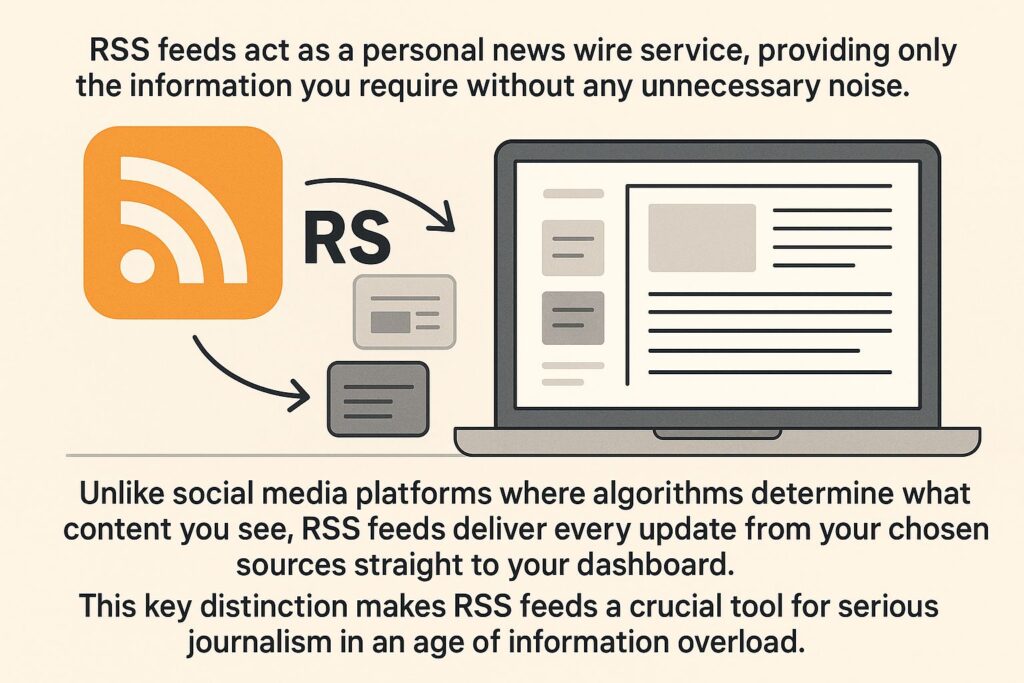
RSS (Really Simple Syndication) feeds act as a personal news wire service, providing only the information you require without any unnecessary noise. Unlike social media platforms where algorithms determine what content you see, RSS feeds deliver every update from your chosen sources straight to your dashboard. This key distinction makes RSS feeds a crucial tool for serious journalism in an age of information overload.
RSS readers of today are not just simple headline aggregators anymore. They now offer advanced filtering, team collaboration features, and AI-powered content discovery. These can significantly improve your reporting workflow. Whether you’re working on breaking news or doing deep investigative work, having the right RSS strategy can put you ahead of the competition and bring you closer to your sources.
RSS Feeds: The Journalist’s Best Friend for Information Management
In the non-stop fight for attention, journalists need dependable systems to sift through the noise and find the signals. RSS feeds construct a tailored intelligence network that continuously combs the web for exactly what is important to your beat. This technology basically positions digital guards across the internet, notifying you the instant relevant content appears—often before it gains momentum on social platforms.
RSS gives journalists total control over the information they consume. You can choose exactly which sources you want to pay attention to, bypassing social platforms and their algorithms designed to boost engagement. This direct access to primary sources means you’ll see official announcements, press releases, and expert commentary as soon as they’re published, rather than hours later when they’ve already been widely discussed.
RSS feeds also add an element of surprise to your research process. By keeping tabs on a wide array of specific sources—from small, specialized blogs to scholarly journals—you’ll regularly stumble upon unique story angles and expert viewpoints that might not get mainstream coverage. This broadened awareness creates a knowledge advantage that results in more detailed, authoritative reporting.
The 8 Best RSS Readers for Streamlining Your Reporting Workflow
Depending on the RSS reader you select, you’ll have different tools at your disposal for managing information. Each platform has its own unique advantages for journalists, from AI-driven filtering to specialized search features. I’ve assessed many options based on the features that are most helpful for news gathering and reporting workflows.
1. Feedly: The Popular Choice with AI Features
Feedly has developed into an advanced research tool that goes beyond simple RSS capabilities. Its Leo AI function can examine thousands of sources to find content that matches specific criteria, essentially creating a tailored intelligence briefing for your beat. For investigative journalists who are following complex topics across a range of sources, Feedly’s ability to filter by keywords, prioritize sources, and identify trending topics significantly simplifies research.
Features of Feedly Pro+ for Journalists
• Leo AI for prioritizing content and personalized intelligence
• Comprehensive boolean search across all sources
• Priority sources that guarantee no crucial updates are overlooked
• Team collaboration with shared boards and notes
• Compatibility with Evernote, Pocket, and other research tools
Feedly is particularly useful for newsrooms because of its collaboration features. Editorial teams can create shared boards for specific beats or investigations. Journalists can add relevant articles and annotations for their colleagues to see. This shared intelligence layer helps newsrooms avoid doing the same research twice and builds collective expertise on complex topics.
2. Inoreader: High-Powered Features for Professional Journalists
Inoreader is a great tool for journalists who require high-level information processing capabilities. It stands out for its technical prowess. Its rule-based filtering system allows for extremely precise content routing. You can automatically tag, star, or forward articles that meet complex criteria. This automation turns Inoreader from a basic reading tool into an advanced news processor that sorts information before you even see it.
Inoreader is a powerful tool capable of handling an extensive amount of information. It allows journalists to subscribe to thousands of sources without any performance issues, making it perfect for those who cover beats with a large number of stakeholders and publications. The platform also offers a full-text search across your entire feed history, making it a valuable personal research database that only grows more useful over time. For those interested in expanding their knowledge, exploring online educational courses can further enhance research skills.
3. NewsBlur: Social Sharing and Intelligence Filtering
NewsBlur’s intelligence filtering is a key feature for journalists who need to quickly identify content patterns across multiple sources. The platform learns from your reading behavior, highlighting stories that match your demonstrated interests while suppressing topics you consistently ignore. This adaptive filtering becomes increasingly accurate over time, essentially creating a learning algorithm that serves your specific journalistic focus rather than engagement metrics.
NewsBlur’s integrated social element also provides unique benefits for journalists. This allows you to see how different communities are reacting to specific stories and even follow other NewsBlur users with similar interests, creating a curated network of like-minded news consumers. For reporters who cover specialized topics, this community feature can bring up valuable insights from experts in the field.
4. Feedbin: A Simple Interface with Twitter Integration
Feedbin is a great tool for journalists who want a distraction-free reading environment. It has a minimalist interface that hides a surprisingly powerful set of features. One of the most useful features for journalists is its integration with Twitter. This feature turns selected Twitter accounts into RSS feeds. This allows journalists to see social media content in a chronological order without the algorithm-driven timeline. This hybrid approach gives journalists the benefits of social media content without the manipulation of the timeline.
The text extraction feature of Feedbin is also worth highlighting. Feedbin can extract the full text of articles from partial feeds, which means you don’t have to click through to websites. Instead, you can stay focused within one reading environment. For journalists who have to process dozens or even hundreds of stories every day, this seamless reading experience can greatly improve their ability to process information.
5. The Old Reader: Keeping it Simple for News Reading
There are times when the simpler the tool, the clearer the thought process. The Old Reader has intentionally kept its interface simple, much like the original Google Reader, with the focus being on quick information scanning rather than on advanced features. For journalists who need to quickly scan headlines from a variety of sources, this bare-bones approach removes distractions and speeds up the news sorting process. Additionally, exploring online educational courses can provide journalists with insights into new tools and techniques for efficient news reading.
Despite its simplicity, The Old Reader offers robust sharing capabilities that help journalists distribute discoveries to colleagues or social networks. Its performance with high-volume feeds is particularly strong, making it suitable for monitoring breaking news sources that publish frequently throughout the day.
6. NetNewsWire: Open-Source Option for Apple Users
NetNewsWire is a native desktop RSS reader that has seen a resurgence of popularity. It offers excellent performance and privacy for macOS and iOS users. It’s an open-source application that stores your subscriptions locally instead of in the cloud, providing a level of data sovereignty that is increasingly important to journalists working on sensitive topics or who are concerned about third-party access to their research patterns.
What sets this application apart is its speed—articles are loaded in a flash, and browsing feels immediate even when there are thousands of items. For journalists who need to quickly scan breaking news across multiple beats, NetNewsWire’s performance advantages translate directly into time savings during critical news cycles.
7. BazQux: Comment Tracking and Full-Text Search
BazQux provides two capabilities that are especially beneficial for investigative journalists. First, its full-text search feature doesn’t just apply to headlines, but to the full content of every article in your feed history. This essentially creates a personally curated research database. Second, it has the ability to track comments on articles. This is a feature that most RSS readers lack, and it provides insight into how stories are being received and discussed.
By adding a layer of observation to your research, the comment tracking function brings to light expert viewpoints and community responses that might inspire subsequent articles or new perspectives to investigate. For beat reporters who are becoming experts in specific fields, these comment threads often include valuable technical discussions that never make it into the primary articles.
8. Feedspot: Curating Content and Creating Newsletters
Feedspot fills the void between personal RSS reading and content distribution, making it the perfect tool for journalists who both read and share industry news. The platform lets you curate content collections around specific topics, potentially serving as both a research tool and a foundation for newsletters or content roundups.
The content discovery engine that is built-in suggests sources that are relevant based on your subscriptions that already exist, helping to expand your network of information beyond publications that are known. For journalists that are entering new beats or covering topics that are emerging, this discovery functionality speeds up the process of building a network of sources that is comprehensive. For the latest on how technology impacts journalism, check out the latest AI technology news.
How to Establish RSS Feeds for Different Journalism Beats
To develop a successful RSS strategy, you must customize your feed collection to suit your particular reporting emphasis. The sources, filtering rules, and monitoring frequency should all match the distinct rhythms and priorities of your beat. A strategic approach to organizing your feeds can significantly enhance both the quality of information you receive and your efficiency in handling it. Stay updated with the latest developments in AI technology to further refine your RSS feed strategy.
Political News: Monitor Official Sources and Policy Changes
Political journalists require unfiltered, direct access to primary sources. Start building your RSS base with official government feeds from congressional offices, committee websites, regulatory agencies, and official press release channels. These feeds provide policy announcements and position statements as soon as they’re published, often before they’re reported by the media.
Supplement official sources with specialized political publications, research feeds from think tanks, and key political bloggers who provide analysis and context. For local political coverage, include municipal government sites, regional planning commissions, and local advocacy groups that often publish important information overlooked by larger outlets.
Create individual folders for different political viewpoints to maintain an unbiased perspective. This structured method aids in recognizing when the same incidents are portrayed in a vastly different light across the political spectrum—usually an indication of a budding controversial story with substantial public interest.
- Press releases and regulatory filings from government agencies
- Websites of politicians and campaign officials
- Schedules of legislative calendars and committees
- Political think tanks from all ideologies
- Organizations that fact-check and watchdogs that promote transparency
Business Reporting: How to Keep Up with Company News and Market Trends
Business journalists should build their RSS ecosystem around official communications from corporations, financial news services, and industry analysts. Begin with the investor relations pages of the companies you cover—these feeds provide earnings reports, changes in executives, and announcements of acquisitions directly from the source, often just minutes after they are publicly released.
Include specialized industry publications that offer sector-specific analysis and trends, as well as regulatory feeds from agencies that supervise your industries of interest. For public companies, include SEC filing feeds to instantly receive new financial disclosures as soon as they’re published.
By creating distinct feed collections for competitors in the same industry, it’s easier to spot trends and deviations in strategy or performance. This comparative perspective often uncovers story angles that wouldn’t be obvious when examining companies individually. For instance, keeping up with AI technology news and trends can provide valuable insights into industry shifts and innovations.
Staying on Top of Tech: Tracking New Releases and Industry Changes
Journalists covering technology have a particularly tough job because the industry moves so quickly and companies tend to time their announcements for maximum impact. If you’re building an RSS foundation, make sure to include official company blogs, changes to developer documentation, and GitHub repositories, which often provide early indications of new products before the official announcement is made. These technical sources often provide more insight than press releases sent to the general media.
Supplement your official channels with resources such as specialized tech publications, well-known industry analysts, and influential developers who often get early access to products. Patent application feeds and regulatory filings can provide early warnings of new technologies being developed.
By incorporating feeds from startup accelerators and venture capital firms, you can pinpoint up-and-coming technologies and companies before they hit the mainstream. These investment indicators frequently offer a 6-12 month glimpse into future innovations and market changes.
Sports Reporting: Team News and Stats Monitoring
Sports reporters can use RSS feeds to create in-depth coverage systems that gather both official team news and statistical analysis. Begin with official team websites, league news releases, and player social media feeds converted to RSS. These primary sources make sure you get injury reports, roster changes, and press conference schedules as soon as they’re released. For a comprehensive guide on using RSS feeds effectively, check out this Sendible article.
Establish distinct feed groups for sites that focus on statistical analysis, blogs that delve into advanced metrics, and sports data providers that provide more in-depth analytical viewpoints. These specialized sources frequently pinpoint performance trends and statistical irregularities that propose story angles that extend beyond the usual game summaries.
Local beat reporters who cover teams in your market are a great source of information that often doesn’t make it into national coverage. Their RSS feeds often contain valuable nuggets from practice observations and locker room interviews. By combining official sources, data analysis, and local reporting, you can create a comprehensive awareness that takes your sports coverage to the next level, beyond routine game summaries.
RSS Alerts: Get the Scoop Before the Noise
When you’re trying to stay ahead of the news cycle, RSS alerts can give you the edge you need. Rather than wading through the noise of social media, RSS alerts allow you to get notifications from the sources you trust the most.
Setting Up Custom Keyword Alerts
Many sophisticated RSS readers let you establish content filters that immediately mark articles with certain keywords or phrases. Use these alerts for important terms in your area of coverage, names of key people you report on, and specialized language that could signal major events. When these words show up in any of your subscribed feeds, the content is automatically emphasized or delivered as a notification, making sure crucial news never gets lost in the overall news stream.
Establishing Geographically Specific Feeds
Journalists who focus on particular geographical areas will find that RSS feeds based on location are a priceless source of local knowledge. Set up feeds specific to certain geographical areas from local government websites, regional news sources, community blogs, and neighborhood forums. These hyperlocal sources often break news before it hits the national stage, providing you with much-needed lead time on situations developing in the area you cover. For those interested in expanding their skills, exploring online educational courses can be a great way to enhance your understanding of digital tools and platforms.
Immediate Alerts for Important Sources
Not all news sources are created equal. Set up your RSS reader to immediately alert you when your most trusted or time-sensitive sources have updates. Meanwhile, you can receive updates from less important feeds in batches. This way, you’ll know right away when there’s an update from a primary source like a government agency or a major corporation you’re reporting on. You’ll also get all the updates from less urgent sources during your regular review times, ensuring you stay informed about latest developments in your field.
More Than Just Feeds: Advanced RSS Strategies for Journalists
RSS truly shines when you go beyond simple subscriptions and start to implement advanced workflows that augment your reporting capabilities. These strategies turn RSS from just a reading tool into a full-fledged research system that supports complex journalistic work.
Comparing Coverage of the Same Story Across Various Sources
Make themed collections that compile coverage of the same story from various sources. This comparative perspective shows how different outlets present the same events, which facts are highlighted, and what context is included or left out. For journalists who want to provide thorough, balanced coverage, these comparative collections illuminate the full range of viewpoints and pinpoint potential holes in current reporting that you can fill.
Automating RSS with IFTTT and Zapier
IFTTT and Zapier are automation platforms that can help you get more out of your RSS system by triggering actions when specific content appears in your feeds. You can create workflows that automatically save articles on your key investigation topics to research databases, send industry news to colleagues who cover related beats, or put together weekly summary emails of coverage in your area. These automated processes can help make sure that important content doesn’t get missed, even when the news cycle is busy.
Creating Dedicated Dashboard Views for Specific Topics
Many of the more sophisticated RSS readers allow for personalized dashboard layouts that can be organized around specific stories, investigations, or themes. Consider creating dedicated dashboard views for your major ongoing stories that bring all related content together in one place. These focused workspaces help to eliminate the distraction of unrelated news and provide a comprehensive view of how a story is developing across multiple sources. For more on the latest trends, check out AI technology news.
News Team Collaboration Using Feed Sharing
Today’s RSS platforms have team collaboration features that turn personal research into shared knowledge. Share curated feed collections with colleagues who cover similar beats, add important articles with context or follow-up questions, and make shared monitoring systems for breaking news situations. This collaborative approach makes sure that everyone who needs important information gets it and gets rid of redundant monitoring efforts in the newsroom.
Transforming Social Media Accounts into RSS Feeds
There are a number of tools that can turn social media accounts into RSS feeds, offering the dependability of RSS to platforms that are usually ruled by engagement algorithms. Services such as IFTTT, RSS.app, and Zapier can transform Twitter accounts, Facebook pages, and even Instagram profiles into regular RSS feeds that deliver every post without algorithmic filtering. This method enables you to keep an eye on key social accounts without being at the mercy of platform algorithms that could suppress crucial updates.
Using RSS to Develop Sources and Build Relationships
More than just a tool for gathering information, RSS feeds also provide a strategic edge in developing sources and building relationships with experts, which is crucial for quality journalism. By regularly monitoring the output of potential sources, you can gain a deeper understanding of their work and find opportunities to connect with them in a meaningful way, much like how online educational courses offer insights from experts.
Following the Blogs of Experts in Your Field
Many top experts have blogs or write for specialized publications that can be followed with RSS. If you consistently keep track of these outputs, you will develop a deep understanding of the experts’ perspectives before you ever reach out to them. This background knowledge lets you approach potential sources with knowledgeable questions that show real interest in their work, greatly increasing the chances of successful relationships.
Keeping Track of Possible Sources’ Material
By keeping an eye on RSS feeds, you can reach out to possible sources as soon as they publish new work or commentary. Set up feeds for important individuals in your area of coverage and get in touch when they share insights that are relevant to the stories you’re working on. This approach to contacting sources, which is based on their content, shows that you’re interested in their specific expertise rather than just looking for sources in general.
Establishing Feeds for Scholarly Journals and Studies
Scholarly journals and research institutions are more frequently providing RSS feeds for their latest publications and discoveries. Journalists who subscribe to these specific sources can get a head start on research developments that could be of great interest to the public. These feeds link reporters straight to the original research, bypassing the need for press releases or general media coverage, and often giving them a significant head start on up-and-coming scientific or academic news stories.
Useful RSS Routines That Can Save You Hours Each Week
RSS can only be of practical benefit if it is used in a consistent routine that matches your reporting schedule. These structured routines can make RSS an essential part of your journalism practice, rather than just a tool you use every now and then.
Successful journalists usually create custom RSS routines that match their unique reporting needs, publication schedules, and beat requirements. These workflows have been perfected over years of newsroom use and consistently show significant time savings while improving the quality of information. For instance, staying updated with AI technology news can be crucial for tech journalists.
Starting Your Day with a News Review
Start your day by spending a structured half an hour going through your priority feeds, focusing on any breaking news or official announcements that are relevant to the stories you’re currently working on. Use the sorting features on your RSS reader to prioritize by the time of publication so that you see any overnight developments first. Flag anything that needs immediate attention, save any background material for later, and identify any potential follow-up stories that you can pitch in your editorial meetings.
Effective Methods for Sorting Content
Establish a reliable method for handling a high quantity of RSS content with keyboard shortcuts and status indicators. Most sophisticated readers provide tagging systems that allow you to instantly label content as “breaking news,” “possible feature,” “background research,” or “contact this source.” This swift sorting technique lets you go through hundreds of headlines in minutes, while making sure that important content is correctly classified for future action.
Mobile Configuration for Reporters on the Move
Set up your RSS feeds for efficient mobile use during on-the-spot reporting, press briefings, or sudden news breaks. Make sure important feeds are synced offline to keep access during connectivity issues, set up mobile alerts for only your most important sources, and use your reader’s sharing features to quickly send pertinent articles to colleagues or editors. This mobile-friendly approach keeps you updated during fast-paced reporting situations without needing to constantly check your screen.
RSS: Your New Best Friend for Research
RSS feeds aren’t just for keeping up with the news. They can also serve as an automatic research tool that constantly improves your understanding of certain subjects. This ongoing, behind-the-scenes research offers a serious competitive edge, as it enhances your expertise even when you’re not directly working on related articles.
Over time, the collective value of this automated research builds up, providing seasoned RSS users with years of structured, searchable content on their beat topics. This historical perspective aids in the identification of trends, recurring problems, and shifting stances that might otherwise go unnoticed. For a deeper understanding of these patterns, you might explore the latest developments in AI technology.
When set up correctly, your RSS research system will work non-stop behind the scenes, collecting pertinent data while you concentrate on active reporting and writing. This form of passive knowledge acquisition ensures you’re always building expertise without dedicated research time. For instance, online educational courses can complement your research efforts by providing expert opinions and insights.
- Establish fixed searches for key subjects in your area of coverage
- Set up separate groupings for major ongoing stories
- Utilize tagging to create searchable content libraries
- Set up automatic archiving for important sources
- Construct cross-referenced collections for related subjects
Creating a Searchable Archive of Industry Coverage
Use your RSS reader’s archiving and tagging features to create a personalized research database specific to your areas of coverage. Consistently tag articles based on key themes, organizations, individuals, and ideas relevant to your area of coverage. This structured approach creates a searchable knowledge base that becomes more valuable over time, allowing you to instantly retrieve historical context for current stories. For example, staying updated with AI technology news can provide valuable insights into the latest developments and trends.
Advanced RSS readers have search capabilities that can identify connections and patterns across thousands of saved articles. This reveals trends and relationships that would not be obvious through standard research methods. For investigative journalists who are working on complex topics, this searchable archive often reveals forgotten details and historical precedents that are critical to comprehensive reporting.
Monitoring Protracted Stories and Research
Set up dedicated feed compilations for protracted research or intricate stories that unfold over months or years. These specialized compilations should incorporate official sources, expert analysis, historical coverage, and competitor reporting relevant to your research. This integrated approach guarantees you never overlook new developments in protracted stories, even when your immediate attention is diverted elsewhere. For more insights, consider exploring how to use RSS feeds effectively.
When you’re embarking on a big investigation, think about creating personalized alerts that let you know when new content fits certain criteria relevant to your report. These automatic lookouts keep an eye out for new information that could be useful to your investigation, picking out the important stuff from thousands of possible sources without needing you to keep a constant eye on it. For instance, staying updated with AI technology news can provide insights that may enhance your investigative process.
Storing Information for Future Reference
It is important to have a system in place for storing relevant information that might come in handy for future articles. Many RSS platforms have the ability to integrate with research tools like Evernote, Notion, or Pocket. This makes it easy to create collections of reference materials on various topics with just one click. Having these collections available can be extremely useful when you need to quickly find historical context or specialized information for breaking news situations.
Top-tier research systems marry automatic categorization and manual curation, using both algorithmic sorting and human judgment to organize information in ways that match your specific reporting needs. This hybrid approach balances efficiency with precision, creating research collections that remain relevant and accessible even as they grow to include thousands of items. For more insights on how to effectively manage information, you might explore a comprehensive guide to RSS readers.
Secure Your Access to Unfiltered News with RSS
In a world where social media platforms are limiting access to chronological content and publishers are encouraging readers to use algorithm-based experiences, RSS is an essential tool for journalists who require complete, unrestricted information. By creating a strong RSS ecosystem, you are ensuring your reporting is independent of changes to platforms, updates to algorithms, and corporate priorities that could otherwise influence the information you receive. This intentional method of gathering information embodies a key journalistic principle—seeking out primary sources and unmediated content instead of accepting information that has already been filtered.
Common Questions
If you’re a journalist who is new to RSS, you might have questions about how to use it, what it can do, and the best ways to use it. These answers to common questions are based on experiences in a variety of newsrooms and reporting situations.
Why are RSS feeds better than following news sites on social media?
RSS gives you every single update from your sources in the order they were published, without any algorithm deciding what you might like based on how much other people are clicking on it. This means you won’t miss anything important because a platform’s algorithm decided it wasn’t popular enough to show you. Social media platforms are designed to keep you on them for as long as possible, so they’ll show you the things they think you’ll find most engaging, not necessarily the most important – which is the opposite of what you want as a journalist.
- RSS offers full content in chronological order, unlike social media which filters based on engagement
- RSS readers provide advanced organization and filtering that is not possible on social platforms
- RSS creates a reading environment free of distractions without ads, suggested content, or notifications
- RSS gives you independence from the platform, safeguarding your information sources from service changes
- RSS offers a permanent record of publications, whereas social posts can be deleted or changed
Furthermore, reading RSS creates a focused environment free from the cognitive burden of social interaction. You can process information without having to manage conversations, respond to messages, or be drawn into unrelated discussions at the same time. This dedicated reading context significantly improves information retention and analytical thinking.
Perhaps the most significant advantage of RSS is that it allows you to be in full control of your information intake. This is in contrast to platform algorithms that are designed to keep users engaged rather than informed. This fundamental difference makes RSS an essential tool for journalists who want to have a complete understanding of their coverage areas.
Can I use RSS feeds to find sources that aren’t well-known?
Definitely. Sophisticated RSS readers such as Feedly and Inoreader come with discovery features that propose related sources according to your current subscriptions. These suggestions frequently reveal specialized publications, expert blogs, and niche news sources that offer unique perspectives not found in mainstream coverage. By consistently exploring these suggestions, you can find valuable sources that might be unknown to your competitors, providing your reporting with a unique depth and perspective.
Can I use RSS readers with content I subscribe to that is behind a paywall?
Many RSS readers that are designed for professional use can provide authenticated access to sites behind paywalls that you subscribe to, but the setup requirements can differ depending on the publication and reader. Some sites behind paywalls offer RSS feeds that only subscribers can access and that include the full content, while others require you to set up your RSS reader with login credentials or browser cookies from your subscribed accounts. For those interested in exploring more about assistive technologies, consider checking out the best assistive tech devices for disabilities and their transformative benefits.
If the publication you’re interested in doesn’t have a direct RSS authentication option, you can use services like FeedBin and BazQux. They offer browser extensions that can use your existing login credentials to access paywalled sites and retrieve full content for your RSS feeds. This means you can bring together premium content from multiple subscriptions into one place to read, and still keep the right authentication.
How long does it usually take to establish a good RSS system?
Establishing a simple RSS system usually takes around 1-2 hours to identify main sources, organize them into reasonable collections, and set up your favorite reading environment. This investment pays off quickly, usually saving 30-60 minutes a day in information gathering once the system is up and running.
While it may take 3-4 hours of initial setup spread over a week to refine more complex implementations with custom filters, alerts, and integration with research tools, these advanced systems often save several hours per week while significantly improving the quality and breadth of information. The productivity return on this setup time is substantial—most journalists report that their RSS system becomes one of their most valuable professional tools within the first month of consistent use.
Does RSS offer more privacy than social media when it comes to news consumption?
Compared to social media platforms, which are notorious for tracking user behavior, RSS is a much more private way to consume news. When you read a news article through an RSS feed, the publisher only receives basic information, such as the fact that you accessed their feed. They don’t receive detailed data about how long you spent reading, what you engaged with, or what your content preferences are, like social media platforms do.
There’s also a privacy advantage when it comes to professional research. When you use RSS, the platforms or publishers you’re monitoring can’t see your source research, story development, or competitive intelligence activities. This can be crucial when you’re researching sensitive stories or investigating subjects who might otherwise be alerted to your interest through social media engagement signals.
Journalists who are conducting investigations that require secure source protection and operational security can benefit greatly from using RSS. It offers a far more private research environment than social media platforms or even direct website visits. Tools like Feedly and other specialized RSS tools are constantly evolving to meet the needs of today’s journalists. They offer comprehensive information and professional privacy in a digital environment that is increasingly monitored.